Learn about the GrabCAD Platform
Get to know GrabCAD as an open software platform for Additive Manufacturing
Visit our new homepage
Home
Control
Shop
Streamline Pro
Partner Program
Print
Community
Log in
Library
Challenges
Groups
Questions
Tutorials
Engineers
Blog
Log in
Learn from thousands of free Tutorials.
New user?
Join the community
or
log in.
Tutorials
Most liked all time
Recent
Most liked
Most viewed
Most commented
This week
This month
All time
Category
Design & CAD
Modeling
Drafting
Assemblies
BOM
Dimensioning / Tolerancing
Translations
Manufacturing & CAM
3D Printing
Tooling
NC Machining
Composites
Measurement / Inspection
Simulation & CAE
FEM
CFD
Kinematics
Process Simulation
Engineering Fundamentals
Theory
Process
Standards
Other
Software
Snagit
Alibre Design
ArchiCAD
AutoCAD
AutoCAD Electrical
Autodesk 3ds Max
Autodesk Alias
Autodesk Inventor
Autodesk Maya
Autodesk Revit
Autodesk 123D
BricsCAD
Bentley MicroStation
BlenderCAD
BobCAD-CAM
CATIA
Delmia
DraftSight
FreeCAD
Femap
Fusion 360
Geomagic Design
IronCAD
JT
Kompas-3D
KeyCreator
KeyShot
Lagoa
Luxology
Mastercam
Moi3D
NX Unigraphics
OBJ
Onshape
OpenSCAD
Parasolid
Powermill
Powershape
Pro/Engineer Wildfire
PTC Creo Parametric
PTC Creo Elements
Rhino
SpaceClaim
SOLIDWORKS
solidThinking Evolve
Solid Edge
SolidFace
STEP / IGES
SketchUp
STL
TopSolid
TinkerCAD
T-Flex CAD
TurboCAD
VectorWorks
ViaCAD 3D
VRML / WRL
ZW3D
Rendering
GrabCAD Print
GrabCAD Community
GrabCAD Workbench
Text file
3D Manufacturing Format
Cinema 4D
Other
Skill level
All levels
Beginner
Intermediate
Expert
Process Simulation
×
Engineering Fundamentals
×
Process
×
Involute profile in splines (3)
Carlos Soler
in
Theory
9
0
Beginner
This is a continuation of the previous tutorial Involute profile in splines (2) https://grabcad.com/tutorials/involute-profile-in-splines-2
ansi b921
ansi
seration
involute
spline
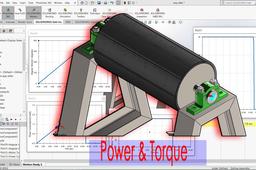
solidworks calculation - power and torque
taufik .
in
Process Simulation
9
2
Intermediate
solidworks motion
tutorials
solidworks
Static Structural Analysis
An Engineer
in
Process
9
3
Intermediate
The static analysis aims to analyze the stress results, deformation results, shear-moment diagram, and reaction force results. in this tutorial, you will learn how to do static analyses for assembled models. It's an excellent tutorial for beginners in Ansys workbench. Statik analizin amacı, gerilme sonuçlarını, deformasyon sonuçlarını kesme-moment diyagramını ve reaksiyon kuvveti sonuçlarını analiz etmektir. Bu eğitimde, montajı yapılmış bir parça için statik analizin nasıl yapıldığını öğreneceksiniz. Ansys tezgahında yeni başlayanlar için çok iyi bir eğitim.
ansys
static structural analysis
simulation
Designing Axial Static O-ring Grooves to "Industry Standards"
Thomas Larson
in
Standards
9
4
Intermediate
This Covers 2/3 of everything I know about designing O-ring seals. I frequently used these while designing production tools. Most the design is based on the standards that are put forth by SAE. Personally, I be going over the reiteration by Parker since it's what I learned. Other references include the Apple Rubble Product and Trelleborg for their proprietary O-ring Gland Calculators, and the help they gave me in building my own. Links to their websites are found in Section 5. All design in this lesson is for "Static Axial Design under normal conditions”. Disclaimer: while I have completed a BS in Mechanical Engineering and have passed the FE, I am not a PE. While these calculations are standard, published, and I personally have used these practices to design multiple high-pressure tools, I cannot guarantee that they a perfect. If you are in doubt, in a hazardous environment, or using in an application that could cause harm to life, I would suggest double checking with other sources (engineering) and/or extensive testing. Also, my experience is in Oil and gas, in the continental USA. You may notice my practices being bias to API standards and in English Units, I suggest you take all I say with a grain of salt. Lesson Plan: Step 1: Background and Definitions Step 2: Finding a Published O-ring Gland and incorporating it into a design. Step 3: Designing Custom Groove using the Standards Step 4: Other Design Recommendations and Drafting Example Step 5: References and Useful links A copy of the files can be found at: https://grabcad.com/library/how-to-design-an-o-ring-gland-to-industry-standards-parts-and-photos-1
seals
components
calculators
cals
design
o-rings
pressure
Compression Spring, Equation Driven, in SolidWorks
Thomas Larson
in
Standards
8
0
Beginner
Not sure this is a tutorial, or just the description of my process for building a printable compression spring. There are equations in the excel documents not just for a printable spring, but also designing custom metal. Designing the spring and Using the model loaded here: https://grabcad.com/library/compression-spring-equation-driven-1
Mechanics Basics Part 2
lawrie
in
Theory
8
3
Beginner
In this tutorial we will look at the concept of STRESS in an engineering concept. Stress is the mechanics relationship that defines the load we place on a part, and the ability of the material it is made from, to resist this load that has been applied to it. The actual strength of a material is a physical property of the material and as the mechanical parts that we design come in all shapes and sizes, we require value, that relates our load back to the physical properties of the material we want to make our part from As usual, due to the format of the GrabCad tutorial module the pdf version of this tutorial can't be easily attached to this tutorial. The pdf version can be downloaded from this token model I have placed on GrabCad, Mechanics Basics Part 2.pdf can be downloaded here : https://grabcad.com/library/basic-mechanics-tutorial-holding-model-1 Follow this link to download pdf versions of basic mechanics tutorials
Convert Navisworks file to STEP. file?
Tibor
in
Process
8
0
Intermediate
https://grabcad.com/library/navisworks-file-nwd-to-step-1 Follow easy steps to get STEP. file from NWD. file.
convert
navisworks
step
export
Understanding MMC and LMC in ASME Y14.5: A Detailed Guide
Aygün Karaköse
in
Theory
7
0
Expert
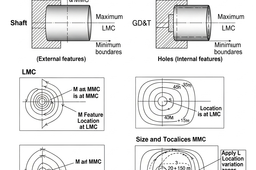
In geometric dimensioning and tolerancing (GD&T), MMC (Maximum Material Condition) and LMC (Least Material Condition) are fundamental concepts that help ensure proper part fit and function during manufacturing and assembly. These concepts link the physical size of a feature with its allowable geometric tolerance, enabling more flexible yet controlled manufacturing.
geometric dimensioning and tolerancing
technical drawing standards
engineering design
gdt
asme y145
How to download parts from McMaster website
zakaria mohammed
in
Standards
7
0
Beginner
كيف تحمل القطع من موقع McMaster بسهولة How to download parts from McMaster website
Gear "Module" Explained in 1 Minute
Engineering Juice
in
Engineering Fundamentals
7
2
Beginner
#GearModule #Gears #Module https://amzn.to/3fjbhH3 Module=d/N (d is pitch diameter and N is number of teeth) Number of Teeth = Reference Diameter/ Module Reference Diameter = Module x Number of Teeth Reference Pitch = Module x Pi Like and subscribe for more!
Fusion 360
definition
formula
module
calculation
reduction
explained
ratio
gear
SIMPLE TIPS FOR MAKING MOTION STUDY
kiran
in
Process Simulation
7
0
Beginner
here you can find simple tips to make a motion study using fusion360
mechanism
fusion360
best
how
joints
revolute
simulation
Helical gear calculation and manufacturing
Rodolfo López
in
Process
7
0
Intermediate
Obtaining data from a sample helical gear. Calculation for the manufacture of helical gear
fabricacion
calculo
gear
helical
Tips & Tricks for eye-catching renderings
Yahya T Khedr
in
Theory
6
1
Intermediate
Do you want to know the hidden secrets of rendering? Have you ever wondered why your amazing renderings aren't on the 1st page? Here I'll show you some tips & tricks I discovered, found & tested myself. All thanks to myself 😂 Note: This tutorial isn't for any specific software. What I make here can be made in any rendering software.
secret
tricks
tips
photoshop
simlab
keyshot
photoview
rendering
Reverse Engineering Process
Henry Berry
in
Process
6
0
Beginner
How to reverse engineer a broken part.
Sheet Metal Bend Allowance
lawrie
in
Theory
7
0
Beginner
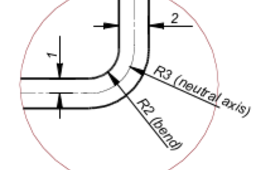
This tutorial is a look at how bend allowances are calculated for sheet metal parts. We will only look at bend allowances as they apply to the type of sheet metal parts that we produce using the common sheet metal tools. Calculating bend allowances for this type of part is a simple process. Calculating the blank size for parts that are produced by stamping flat blanks in complex dies is a much more complex process that is outside of the scope of this tutorial. I have produced a PDF version of this tutorial. If you want a copy of this PDF version you can send me a GrabCad message with an email address to send it to
1
…
10
11
12
…
31