Learn about the GrabCAD Platform
Get to know GrabCAD as an open software platform for Additive Manufacturing
Visit our new homepage
Home
Control
Shop
Streamline Pro
Partner Program
Print
Community
Log in
Library
Challenges
Groups
Questions
Tutorials
Engineers
Blog
Log in
Learn from thousands of free Tutorials.
New user?
Join the community
or
log in.
Tutorials
Most liked all time
Recent
Most liked
Most viewed
Most commented
This week
This month
All time
Category
Design & CAD
Modeling
Drafting
Assemblies
BOM
Dimensioning / Tolerancing
Translations
Manufacturing & CAM
3D Printing
Tooling
NC Machining
Composites
Measurement / Inspection
Simulation & CAE
FEM
CFD
Kinematics
Process Simulation
Engineering Fundamentals
Theory
Process
Standards
Other
Software
Snagit
Alibre Design
ArchiCAD
AutoCAD
AutoCAD Electrical
Autodesk 3ds Max
Autodesk Alias
Autodesk Inventor
Autodesk Maya
Autodesk Revit
Autodesk 123D
BricsCAD
Bentley MicroStation
BlenderCAD
BobCAD-CAM
CATIA
Delmia
DraftSight
FreeCAD
Femap
Fusion 360
Geomagic Design
IronCAD
JT
Kompas-3D
KeyCreator
KeyShot
Lagoa
Luxology
Mastercam
Moi3D
NX Unigraphics
OBJ
Onshape
OpenSCAD
Parasolid
Powermill
Powershape
Pro/Engineer Wildfire
PTC Creo Parametric
PTC Creo Elements
Rhino
SpaceClaim
SOLIDWORKS
solidThinking Evolve
Solid Edge
SolidFace
STEP / IGES
SketchUp
STL
TopSolid
TinkerCAD
T-Flex CAD
TurboCAD
VectorWorks
ViaCAD 3D
VRML / WRL
ZW3D
Rendering
GrabCAD Print
GrabCAD Community
GrabCAD Workbench
Text file
3D Manufacturing Format
Cinema 4D
Other
Skill level
All levels
Beginner
Intermediate
Expert
Modeling
×
PTC Creo Parametric
×
Text file
×
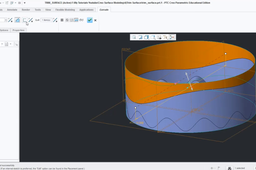
Creo 5.0 advance surface tutorial for intermediate level student
Ravi Kumar
in
Modeling
1
0
Intermediate
In this tutorial I using sketch commands and surface command and make the 3d model
PTC Creo Parametric
tutorial
advanced
andy-s
nx
modeling
creo
autocad
catia
solidworks
Custom parameter defined by relations
Vladimir Palffy
in
Modeling
1
1
Beginner
This video has been created based on a question from a comment under my video on YouTube channel. Feel free to contact me or leave a comment, or idea for another Creo tutorial.
PTC Creo Parametric
creo
relations
parameters
Basic 3D Modeling Exercise for Beginners in Creo | Exercise #10 - Embedded or External Sketch?
Vladimir Palffy
in
Modeling
1
0
Beginner
The 10th part of the series - Basic 3D Modeling Exercise for Beginners in Creo Parametric. You will learn when is better to use Embedded Sketch or when to use External Sketch Feature.
PTC Creo Parametric
tutorial
creo
beginners
exercise
modeling
Creo tutorial: Flexible modeling- all in one
Vladimir Palffy
in
Modeling
1
0
Beginner
Series of Creo Flexible tutorials: 1. Applying Flexible Offset 2. Modify analytic feature vs. Flexible Offset 3. Flexible Mirror 4. Flexible Substitute 5. Edit Round feature 6. Symmetry Recognition feature
PTC Creo Parametric
substitute
mirror
feature
recognition
modeling
tutorial
flexible
creo
#DIY DUAL NAME IN SINGLE KEYCHAIN DESIGN TUTORIAL || #DUALLETTERING #DIY #3DILLUSIONKEYCHAIN
venkatesh ajith
in
Modeling
1
0
Beginner
3d printing dual name illusion keychain design tutorial. software used: Creo 6.0 tools used. Animated in keyshot 9 All dimensions are in mm. ------------------------------------------------------------------------------------------------------------------------- GRAB CAD LINK. https://grabcad.com/venkatesh.ajith-1... ------------------------------------------------------------------------------------------------------------------------ YOUTUBE CHANNEL https://www.youtube.com/channel/UC0aN... INSTAGRAM PAGE https://www.instagram.com/print.thefu... Facebook page https://www.facebook.com/icftechiesga... Thanks for watching & please subscribe to our channel.
PTC Creo Parametric
3dprinting
keychain
3printing
Tutorials - How to make a Involute Spur Gear
Nanthakumar R
in
Modeling
1
0
Expert
Tutorials - How to make a Involute Spur Gear Initially Take a Note on spur gear dimensions as follows Module = 4mm Number of teeth =39 Pitch Circle Diameter =156 mm Pressure Angle =20 Deg Addendum Circle Diameter =167.4 mm Root Diameter = 149.70 mm Dedendum Circle Diameter =130 mm Hole size 80 mm Tooth thickness =6.28mm Base Circle Diameter =156cos(20)=146.592mm Step 1 • Select the Front plane • Draw 130mm (Dedendum Circle Diameter) Diameter circle and a Hole 80mm Diameter circle • Extrude 50 mm Step 2 Draw three circles vice the diameters are • Addendum Circle Diameter =167.4 mm, • Pitch Circle Diameter =156 mm, • Base Circle Diameter =156cos(20)=146.592mm Step 3 For involute curve we need to put some parametric equations as follows Follow the procedure and paste the equations Menu bar - Insert - Model datum – Curve - In the menu manager - From equation - Done Now the select the PRT_CSYS_DEF and Cartesian (a notepad box will open) Just paste the following equations without modify anything.., Base_circle_radius=146.592/2 Angle=t*90 Cir_len=(PI*Base_circle_radius*t)/2 X_ins=Base_circle_radius*cos(Angle) Y_ins=Base_circle_radius*sin(Angle) X=X_ins+(Cir_len*sin(Angle)) Y=Y_ins-(Cir_len*cos(Angle)) Z=0 (Note : Here 146.592/2 mm is Base Circle Radius) File - Save - Close notepad -Preview - OK Now you see the curve Step 4 (Note : Tooth thickness=6.28mm on pitch circle) • Again Go to sketcher using previous sketching plane (Take references before draw ) • Menu bar/right click Sketcher - References • Pick the curve and the middle circle as references Then draw a center point arc with radius of 6.28 mm on the middle circle and the starting point should start from the curve. Take a point on the curve at middle Exit Sketcher Then Datum point - Select the curve - offset = .50 Step 5 Now we make a datum plane passing through this point and the central axis. Then we reflect the curve about datum plane Datum plane - Select the point and the axis - OK Now Datum plane created. Select the curve we draw via the formula and mirror it with reference to Datum plane Now we use the curve to define the tooth profile Steps Sketcher - the create an entity from edge option from tool bar - Select the two curves Sketch - References select the three circles. Select the references as shown in the figure. Draw the two connecting lines and two center point arc as shown in figure. Then trim the unnecessary lines to make the profile. (Note : The profile must be closed at the end) Finally extrude the profile and pattern it about the central axis. Hide all the unnecessary curves Well the Involute spur gear is formed successfully.
PTC Creo Parametric
Bottle by Freestyle feature
Vladimir Palffy
in
Modeling
1
0
Beginner
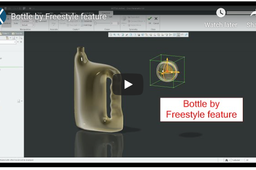
Freestyle modeling
PTC Creo Parametric
bottle
create
how
modeling
freestyle
HOW TO CREATE A PROFILE RIB IN CREO PARAMETRIC
abdul lateef
in
Modeling
1
0
Beginner
Learn how to create a profile rib in creo parametric in the best way.
PTC Creo Parametric
pro
parametric
creo
rib
profile
Split Surfaces in Creo Parametric
jehan kothari
in
Modeling
1
0
Intermediate
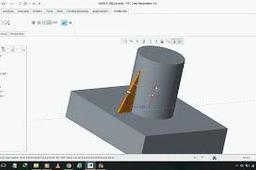
Many looks for surface split in Creo Parametric which is synonymous using Split Line in SolidWorks. Here is your solution :)
PTC Creo Parametric
line
extrude
parametric
creo
surface
split
Creo Parametric 5.0 Beginner
jehan kothari
in
Modeling
1
0
Beginner
3D modeling beginner tutorial in creo parametric
PTC Creo Parametric
ptc
modeling
3d
parametric
creo
Creo Parametric Basic Surfacing Exercise
jehan kothari
in
Modeling
1
0
Beginner
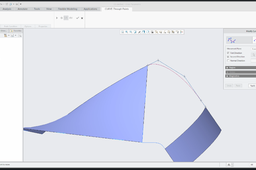
In this video, we are going to understand how we can approach for creating a surface model. The trim tool as well as merge option is explained and used to create this model.
PTC Creo Parametric
merge
trim
exercise
modeling
surfacing
surface
parametric
creo
Sprocket 08B
Abhishek Jain
in
Modeling
1
0
Intermediate
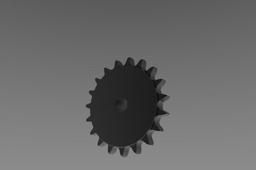
In this tutorial, we are going to design a chain sprocket. And also we are going through calculations for designing sprocket tooth.
PTC Creo Parametric
chain
chaindrive
sprocket
bicycle
14 Ways To Create Curve
Vladimir Palffy
in
Modeling
1
0
Beginner
Surface modeling with Creo Parametric 4.0: 14 Ways To Create "Curve" * Sketched Curve * 2D Curve created between points * 3D Curve created by points * Curve defined by points from CSYS * Curve conected to another Curves * Curve created on a surface edge * Projected Curve * Wraped Curve * Curve defined by Equation * Intersected Curve by curves * Intersected Curve by quilts * Copy edge from solid * Curve from Cross Section * Trace Curve defined by mechanism
PTC Creo Parametric
vladimirpalffy
vpalffy
4kside
creotutorial
creoparametric
creo
feature
curve
HOLE OPTIONS IN CREO/PRO E
JIAMETRIC
in
Modeling
1
0
Intermediate
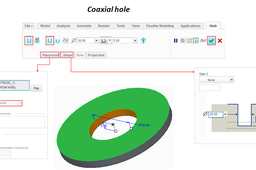
HOLE TYPES IN CREO 1.Linear Hole 2.Co-Axial Hole or Concentric 3.PCD Hole or Diameter Hole 4.Radial Hole or Tangent Hole
PTC Creo Parametric
tangent
radial
diameter
pcd
concentric
co-axial
linear
creo
types
hole
How to design motorcycle clutch basket in Creo Parametric
Prakash Shakti
in
Modeling
1
0
Intermediate
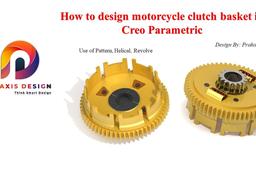
In this video we will see a basic use of pattern, helical sweep and revolve while designing a clutch basket. Also, we will see a basic assembly of clutch basket. While designing of clutch basket we will also learn the concept idea of gear design and spring.
PTC Creo Parametric
revolve
basket
clutch
design
gear
creo
patter
axis
1
…
13
14
15
…
33