Learn about the GrabCAD Platform
Get to know GrabCAD as an open software platform for Additive Manufacturing
Visit our new homepage
Home
Control
Shop
Streamline Pro
Partner Program
Print
Community
Log in
Library
Challenges
Groups
Questions
Tutorials
Engineers
Blog
Log in
Learn from thousands of free Tutorials.
New user?
Join the community
or
log in.
Tutorials
Most liked all time
Recent
Most liked
Most viewed
Most commented
This week
This month
All time
Category
Design & CAD
Modeling
Drafting
Assemblies
BOM
Dimensioning / Tolerancing
Translations
Manufacturing & CAM
3D Printing
Tooling
NC Machining
Composites
Measurement / Inspection
Simulation & CAE
FEM
CFD
Kinematics
Process Simulation
Engineering Fundamentals
Theory
Process
Standards
Other
Software
Snagit
Alibre Design
ArchiCAD
AutoCAD
AutoCAD Electrical
Autodesk 3ds Max
Autodesk Alias
Autodesk Inventor
Autodesk Maya
Autodesk Revit
Autodesk 123D
BricsCAD
Bentley MicroStation
BlenderCAD
BobCAD-CAM
CATIA
Delmia
DraftSight
FreeCAD
Femap
Fusion 360
Geomagic Design
IronCAD
JT
Kompas-3D
KeyCreator
KeyShot
Lagoa
Luxology
Mastercam
Moi3D
NX Unigraphics
OBJ
Onshape
OpenSCAD
Parasolid
Powermill
Powershape
Pro/Engineer Wildfire
PTC Creo Parametric
PTC Creo Elements
Rhino
SpaceClaim
SOLIDWORKS
solidThinking Evolve
Solid Edge
SolidFace
STEP / IGES
SketchUp
STL
TopSolid
TinkerCAD
T-Flex CAD
TurboCAD
VectorWorks
ViaCAD 3D
VRML / WRL
ZW3D
GrabCAD Print
Rendering
GrabCAD Community
GrabCAD Workbench
Text file
3D Manufacturing Format
Cinema 4D
Other
Skill level
All levels
Beginner
Intermediate
Expert
Autodesk Inventor
×
Solid Edge
×
Text file
×
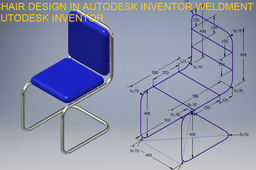
Chair Design in Autodesk Inventor Weldment || Inventor 3d Drawings || Inventor Weldment
ROHAN GUPTA
in
Modeling
4
0
Beginner
Chair Design in Autodesk Inventor Weldment || Inventor 3d Drawings || Inventor Weldment https://youtu.be/F9RIQiPo7W0
Autodesk Inventor
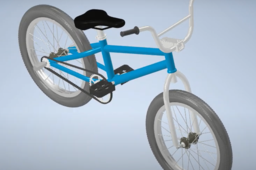
Bicycle Animation, Exploded View & Bicycle Animation
Farhandany _
in
Assemblies
4
1
Beginner
BMX began in the early 1970s, when children started cycling on dirt roads in Southern California, inspired by the popular sport of motocross at the time. One of the bikes available at the time, the Schwinn Sting-Ray became the choice, because it had a motocross-like frame shape, 20-inch tires, high handlebars, long seats, and was easy to modify for good control and performance on dirt roads. . This bicycle phenomenon has become very widespread since its appearance in the film "On Any Sunday" in the United States, a documentary about motocross in 1971. In the opening scene, it shows children riding Schwinn Stingrays bicycles on off-road roads, which inspires BMX sports and racing. By the middle of the decade, the sport of BMX had a lot of interest, and factories began to produce bicycles specifically designed for this sport.
Autodesk Inventor
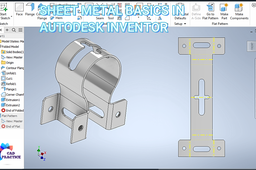
SHEET METAL BASICS IN AUTODESK INVENTOR
ROHAN GUPTA
in
Modeling
4
0
Beginner
AUTODESK INVENTOR TUTORIALS FOR BEGINNERS |3D CAD MODELING
Autodesk Inventor
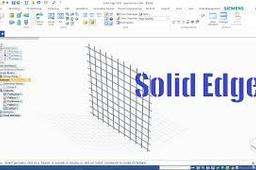
Create 3D model of metal wire mesh in SolidEdge
Cadlancer Services
in
Modeling
4
0
Beginner
Watch tutorial: https://www.youtube.com/watch?v=ftXlj_KMS94&feature=youtu.be
Solid Edge
solidedge
model
3d
wire
metal
mesh
edge
solid
Tutorial: How To Obtain Relative Accurate Results From Stress Analysis in Autodesk Inventor
Ioannis Skarlatakis
in
Design & CAD
4
0
Beginner
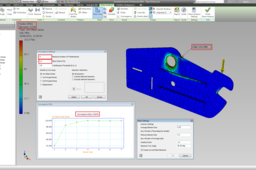
FEA is not a simple mathematical operation. Instead it is a computer-based iterative numerical technique along with inevitable discretization errors, as a function of elements. Therefore these errors can be reduced by... specifying more elements (H-refinement) or employing a higher order of polynomial at each iteration (P-refinement). Effectively more computational power is required to solve complex shaped geometries with high dense mesh (Elements). But how dense should be my mesh to get appropriate results without wasting hours on simulation ??? This is the Golden Question! ... There is a criterion for that, called Converged solution... In plain words the mesh does not need any further refinement (denser mesh) as long as the solution is "Converged". The solution is assumed to be "Converged" when the results of the polynomial eq. does not change according to a prespecified tolerance e.g. 10% Good Results, 0.1% Great Results. So, let me share some information how to manipulate the mesh for a model along with three examples. As a conclusion we will enhance your confidence regarding the results you get, whether are relatively accurate or not (Low Percentage of Discretization Errors) without wasting hours on simulation!!! Don't Forget the simulation results are nothing without any experimental results to compare with.
Autodesk Inventor
mesh
fea
solution
tipsntricks
convergence
refinement
INVENTOR TUTORIALS | INVENTOR FREEFORM
ROHAN GUPTA
in
Modeling
4
0
Beginner
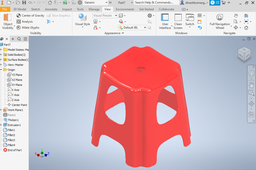
PLASTIC STOOL IN AUTODESK INVENTOR BY FREEFORM COMMANDS
Autodesk Inventor
VEB_01_0000
Ricardo Resende
in
Modeling
4
0
Beginner
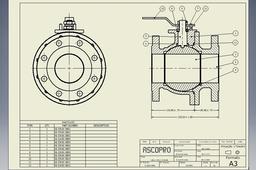
Projeto: Válvula de Esfera Bipartida. Software: Autodesk Inventor Pro 2019. Treinamento e evolução sempre serão o meu norte.
Autodesk Inventor
valvulas
inventor
autodesk
How to Create a Spiral ?
Mohit
in
Design & CAD
4
1
Intermediate
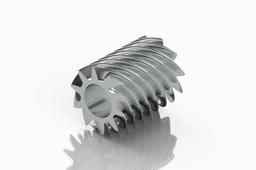
How to Create a Spiral ? ~ Inventor
Autodesk Inventor
spiral
inventor
gear
Create EYE Bolt Using Inventor
Mohit
in
Design & CAD
4
4
Intermediate
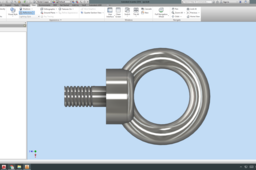
Create EYE Bolt Using Inventor
Autodesk Inventor
mechanical
parts
inventor
eyebolt
How to make slot on the surface?
barta
in
Design & CAD
4
1
Beginner
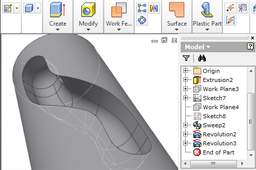
Step by step
Autodesk Inventor
tutorial
How to suppress sheet metal flanges/features using ilogic in Inventor
Carthik
in
Design & CAD
4
1
Beginner
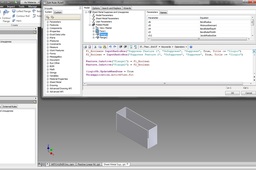
Hi, Answering this question. Hoping that it will be useful for someone, who really wants to suppress and un-suppress feature by using ilogic.
Autodesk Inventor
Como hacer un botón acrilico
Yulitza Suárez Avila
in
Modeling
4
0
Beginner
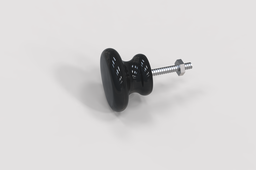
Este modelado 3D contiene solo dos operaciones: como revolucion y extrusion + los croquis. DESCARGUE LOS PLANOS: https://drive.google.com/file/d/1AUFNEtGpHpelrmBoJ1k_A3V_tLnKzP8q/view?usp=sharing
Autodesk Inventor
planos
render
autodesk inventor
modelado 3d
boton acrilico
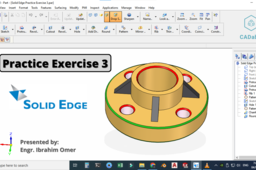
Practice exercise 3 solid edge | Solid edge v20 tutorials | Create rib in solid edge | CADable
Ibrahim Omer
in
Design & CAD
4
2
Beginner
In this tutorial, we will practice exercise 3 in solid edge v20. After modelling part, we will apply appearance to our part. I hope you like it. We will learn the following features and commands: 1) Basic 2d Commands 2) Geometric Relations 3) Protrusion 4) Cutout 5) Rib 6) Pattern 7) Hole 8) Chamfer 9) Round 10) Color It is a good exercise for beginners and it will be a good practice for beginners. Kindly use play pause technique for practice. Feel free to ask your queries in comment section. I will try to answer each and every question. Keep practicing as practice makes a man perfect. Follow our Channel: https://www.youtube.com/c/CADable #solidedgev20tutorials #solidedgerib #solidedgeexercise3 #CADable
Solid Edge
create pattern in solid edge v20
create rib in solidedge
cadable
practice exercise 3 solid edge
solid edge v20 tutorials
Generative Design with solide edge: a case study
Gouza
in
Modeling
4
1
Beginner
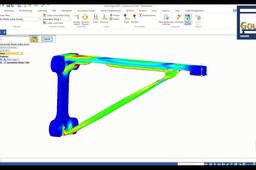
Generative design in Solid Edge integrates advanced topology optimization within the Solid Edge 3D modeling toolkit, helping designers to create lighter components, minimize material waste in downstream manufacturing. Generative design produces an organic, reduced-mass geometric solution of a specific material optimized within a defined space, accounting for permissible loads and constraints. These highly customized designs are well-suited for casting or high-resolution 3D printing, or they can be modified for traditional manufacturing. Generative design in Solid Edge is unique in that it results in “ready-to-print” surface quality. In this video https://youtu.be/XrHjdoLKATk , you’ll learn: - What generative design is, and how it is different - The step-by-step process for creating an optimized shape Please support by subscribing
Solid Edge
modelling
tutorial
shape
optimaze
print
printing
3d
design
generative
[VIDEO] Playground Slide
Dono Cre'
in
Modeling
4
0
Beginner
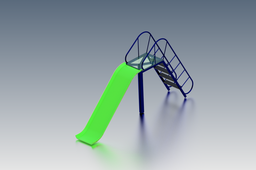
In this tutorial I will share about how to create a Playground Slide design using the Autodesk Inventor software with various features such as: ~ 2D Sketch,Extrude,Extrusion Surface,Rectangular Pattern,Mirror Feature,Insert Frame Generator,Thicken,Fillet/Chamfer,etc. I hope this tutorial is useful for you :)
Autodesk Inventor
sketch
model
insert
generator
frame
slide
playground
inventor
1
…
8
9
10
…
100