Learn about the GrabCAD Platform
Get to know GrabCAD as an open software platform for Additive Manufacturing
Visit our new homepage
Home
Control
Shop
Streamline Pro
Partner Program
Print
Community
Вход
Library
Challenges
Groups
Questions
Tutorials
Engineers
Blog
Вход
Learn from thousands of free Tutorials.
New user?
Join the community
or
log in.
Tutorials
Most liked all time
Recent
Most liked
Most viewed
Most commented
This week
This month
All time
Category
Design & CAD
Modeling
Drafting
Assemblies
BOM
Dimensioning / Tolerancing
Translations
Manufacturing & CAM
3D Printing
Tooling
NC Machining
Composites
Measurement / Inspection
Simulation & CAE
FEM
CFD
Kinematics
Process Simulation
Engineering Fundamentals
Theory
Process
Standards
Other
Software
Snagit
Alibre Design
ArchiCAD
AutoCAD
AutoCAD Electrical
Autodesk 3ds Max
Autodesk Alias
Autodesk Inventor
Autodesk Maya
Autodesk Revit
Autodesk 123D
BricsCAD
Bentley MicroStation
BlenderCAD
BobCAD-CAM
CATIA
Delmia
DraftSight
FreeCAD
Femap
Fusion 360
Geomagic Design
IronCAD
JT
Kompas-3D
KeyCreator
KeyShot
Lagoa
Luxology
Mastercam
Moi3D
NX Unigraphics
OBJ
Onshape
OpenSCAD
Parasolid
Powermill
Powershape
Pro/Engineer Wildfire
PTC Creo Parametric
PTC Creo Elements
Rhino
SpaceClaim
SOLIDWORKS
solidThinking Evolve
Solid Edge
SolidFace
STEP / IGES
SketchUp
STL
TopSolid
TinkerCAD
T-Flex CAD
TurboCAD
VectorWorks
ViaCAD 3D
VRML / WRL
ZW3D
GrabCAD Print
Rendering
GrabCAD Community
GrabCAD Workbench
Text file
3D Manufacturing Format
Cinema 4D
Other
Skill level
All levels
Beginner
Intermediate
Expert
Autodesk Alias
×
Autodesk Inventor
×
BlenderCAD
×
OBJ
×
Text file
×
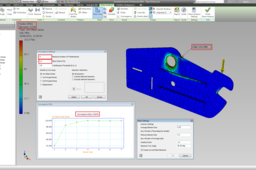
Tutorial: How To Obtain Relative Accurate Results From Stress Analysis in Autodesk Inventor
Ioannis Skarlatakis
in
Design & CAD
4
0
Beginner
FEA is not a simple mathematical operation. Instead it is a computer-based iterative numerical technique along with inevitable discretization errors, as a function of elements. Therefore these errors can be reduced by... specifying more elements (H-refinement) or employing a higher order of polynomial at each iteration (P-refinement). Effectively more computational power is required to solve complex shaped geometries with high dense mesh (Elements). But how dense should be my mesh to get appropriate results without wasting hours on simulation ??? This is the Golden Question! ... There is a criterion for that, called Converged solution... In plain words the mesh does not need any further refinement (denser mesh) as long as the solution is "Converged". The solution is assumed to be "Converged" when the results of the polynomial eq. does not change according to a prespecified tolerance e.g. 10% Good Results, 0.1% Great Results. So, let me share some information how to manipulate the mesh for a model along with three examples. As a conclusion we will enhance your confidence regarding the results you get, whether are relatively accurate or not (Low Percentage of Discretization Errors) without wasting hours on simulation!!! Don't Forget the simulation results are nothing without any experimental results to compare with.
Autodesk Inventor
mesh
fea
solution
tipsntricks
convergence
refinement
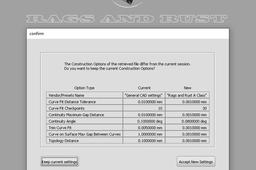
A Class OEM standard modelling and skills
Rags and Rust
in
Modeling
4
0
Beginner
I have created a number of Tutorials for Autodesk Alias A Class Nurb modelling. These tutorials are based on things i do everyday as a professional car designer within OEM studios. Although these are done in Autodesk Alias which is the industry standard software they can be applied to any nurb based program you may have such as Rhino, Catia etc. 1. Scan data to A Class surface model 2. From a side view sketch to a clean concept model 3. Using blueprints to create a clean accurate A Class model 4. Using these skills to challenge yourself.
Autodesk Alias
quality
production
scan
concept
nurbs
automotive
car
class
INVENTOR TUTORIALS | INVENTOR FREEFORM
ROHAN GUPTA
in
Modeling
4
0
Beginner
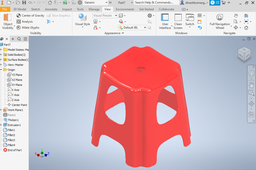
PLASTIC STOOL IN AUTODESK INVENTOR BY FREEFORM COMMANDS
Autodesk Inventor
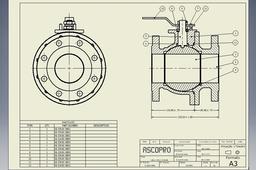
VEB_01_0000
Ricardo Resende
in
Modeling
4
0
Beginner
Projeto: Válvula de Esfera Bipartida. Software: Autodesk Inventor Pro 2019. Treinamento e evolução sempre serão o meu norte.
Autodesk Inventor
valvulas
inventor
autodesk
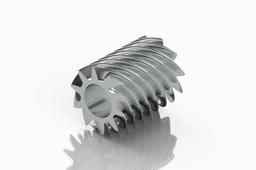
How to Create a Spiral ?
Mohit
in
Design & CAD
4
1
Intermediate
How to Create a Spiral ? ~ Inventor
Autodesk Inventor
spiral
inventor
gear
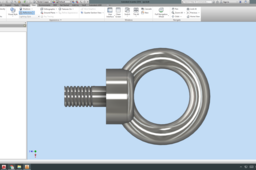
Create EYE Bolt Using Inventor
Mohit
in
Design & CAD
4
4
Intermediate
Create EYE Bolt Using Inventor
Autodesk Inventor
mechanical
parts
inventor
eyebolt
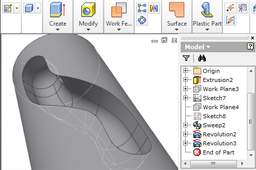
How to make slot on the surface?
barta
in
Design & CAD
4
1
Beginner
Step by step
Autodesk Inventor
tutorial
How to suppress sheet metal flanges/features using ilogic in Inventor
Carthik
in
Design & CAD
4
1
Beginner
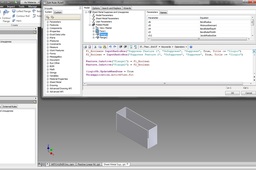
Hi, Answering this question. Hoping that it will be useful for someone, who really wants to suppress and un-suppress feature by using ilogic.
Autodesk Inventor
Como hacer un botón acrilico
Yulitza Suárez Avila
in
Modeling
4
0
Beginner
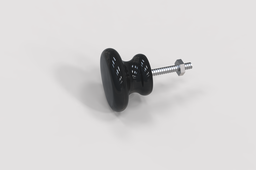
Este modelado 3D contiene solo dos operaciones: como revolucion y extrusion + los croquis. DESCARGUE LOS PLANOS: https://drive.google.com/file/d/1AUFNEtGpHpelrmBoJ1k_A3V_tLnKzP8q/view?usp=sharing
Autodesk Inventor
planos
render
autodesk inventor
modelado 3d
boton acrilico
Low Poly Airplane Animation in Blender 2.80
Ibrahim Omer
in
Modeling
4
0
Beginner
Low poly Aeroplane Modeling in Blender 2.80 and Rendered in Eevee. This is simple animation output and not the tutorial. This was Exercise of a Short Course on Blender by Sir Gustavo Rosa. #blender2.80 #EEVEE_Rendering #CADable For Files: https://grabcad.com/library/airplane-... Kindly Subscribe our Channel for more Videos and Projects in Blender, SOLIDWORKS, Keyshot. Please Like and Share Our Videos. Thanks for Watching. Follow our Channel: https://www.youtube.com/c/CADable
BlenderCAD
models
modeling
lowpoly
cadable
engine
render
eevee
aeroplane
animation
2-80
blender
[VIDEO] Playground Slide
Dono Cre'
in
Modeling
4
0
Beginner
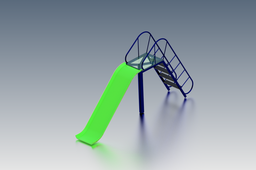
In this tutorial I will share about how to create a Playground Slide design using the Autodesk Inventor software with various features such as: ~ 2D Sketch,Extrude,Extrusion Surface,Rectangular Pattern,Mirror Feature,Insert Frame Generator,Thicken,Fillet/Chamfer,etc. I hope this tutorial is useful for you :)
Autodesk Inventor
sketch
model
insert
generator
frame
slide
playground
inventor
Chain and dynamic simulation
Michal Mejzlík
in
Modeling
4
0
Intermediate
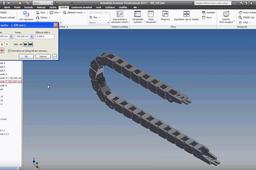
In this video you will see the assembling chain and its dynamic simulation with individual steps. Video is without voice
Autodesk Inventor
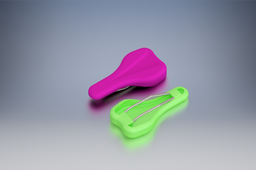
Bicycle Saddle
Dono Cre'
in
Modeling
4
1
Beginner
Bicycle Saddle Tutorial Design by Autodesk Inventor
Autodesk Inventor
bmx
inventor
autodesk
design
bicycle
saddle
Plane Creation with Aitodesk Inventor
Aung Soe
in
Modeling
4
0
Beginner
Autodesk Inventor -Sketch Plane Creation
Autodesk Inventor
3d autodesk autodeskinventor
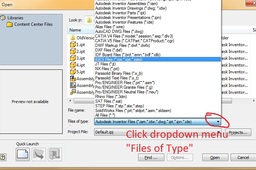
How to open igs or step files in autocad/inventor?
ady
in
Design & CAD
4
0
Beginner
Autdesk Inventor 2012
Autodesk Inventor
1
…
7
8
9
…
97