Learn about the GrabCAD Platform
Get to know GrabCAD as an open software platform for Additive Manufacturing
Visit our new homepage
Home
Control
Shop
Streamline Pro
Partner Program
Print
Community
Log in
Library
Challenges
Groups
Questions
Tutorials
Engineers
Blog
Log in
Learn from thousands of free Tutorials.
New user?
Join the community
or
log in.
Tutorials
Most liked all time
Recent
Most liked
Most viewed
Most commented
This week
This month
All time
Category
Design & CAD
Modeling
Drafting
Assemblies
BOM
Dimensioning / Tolerancing
Translations
Manufacturing & CAM
3D Printing
Tooling
NC Machining
Composites
Measurement / Inspection
Simulation & CAE
FEM
CFD
Kinematics
Process Simulation
Engineering Fundamentals
Theory
Process
Standards
Other
Software
Snagit
Alibre Design
ArchiCAD
AutoCAD
AutoCAD Electrical
Autodesk 3ds Max
Autodesk Alias
Autodesk Inventor
Autodesk Maya
Autodesk Revit
Autodesk 123D
BricsCAD
Bentley MicroStation
BlenderCAD
BobCAD-CAM
CATIA
Delmia
DraftSight
FreeCAD
Femap
Fusion 360
Geomagic Design
IronCAD
JT
Kompas-3D
KeyCreator
KeyShot
Lagoa
Luxology
Mastercam
Moi3D
NX Unigraphics
OBJ
Onshape
OpenSCAD
Parasolid
Powermill
Powershape
Pro/Engineer Wildfire
PTC Creo Parametric
PTC Creo Elements
Rhino
SpaceClaim
SOLIDWORKS
solidThinking Evolve
Solid Edge
SolidFace
STEP / IGES
SketchUp
STL
TopSolid
TinkerCAD
T-Flex CAD
TurboCAD
VectorWorks
ViaCAD 3D
VRML / WRL
ZW3D
GrabCAD Print
Rendering
GrabCAD Community
GrabCAD Workbench
Text file
3D Manufacturing Format
Cinema 4D
Other
Skill level
All levels
Beginner
Intermediate
Expert
Autodesk Inventor
×
Fusion 360
×
Rendering
×
Text file
×
Fusion 360: Radial Engine Design - From 3D Modeling to Animation
Jens Nielsen
in
Modeling
11
2
Beginner
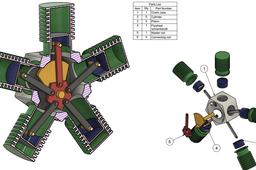
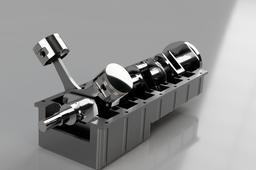
**Download the drawing and modeling files for this project on my GrabCAD profile:** https://grabcad.com/library/radial-engine-486 In this comprehensive Fusion 360 tutorial, you'll learn step-by-step how to model, assemble, and animate a classic radial engine! Whether you're a beginner looking to expand your CAD skills or an enthusiast fascinated by mechanical design, this guide will walk you through the entire process. First, we'll meticulously model each component of the radial engine, from the intricate crankcase to the pistons and connecting rods. You'll gain valuable insights into Fusion 360's modeling tools and techniques. Next, we'll move on to the assembly phase, where you'll learn how to use joints to correctly position and constrain all the parts, bringing the engine to life in the digital realm. Finally, we'll animate the assembled engine, showcasing its fascinating working mechanism. You'll discover how to use Fusion 360's animation tools to create a dynamic and engaging visual representation of the radial engine in action. This tutorial is designed to be easy to follow for users of all levels. By the end, you'll not only have a fully modeled, assembled, and animated radial engine but also a deeper understanding of mechanical design principles within Fusion 360.
Fusion 360
Autodesk Fusion 360 - Sketch - Швидко та легко
Ifin3D
in
Modeling
11
1
Intermediate
-Цей короткий путівник по роботі у Fusion 360 заборонено перекладати на російську мову, робити рерайти або публікувати на сторонніх ресурсах інформації без згоди автора. Даний туторіал посвячений тільки роботі з інструментами креслення. По мірі написання уроків, буду добавляти окремі Tutorials по роботі з твердотільним моделюванням та роботі з листовим металом. -Автор усіх матеріалів - Рисан Василь Васильович, м.Івано-Франківськ, Україна. -e-mail: Ifin3d.info@gmail.com -instagram: https://www.instagram.com/ifin3d/ -facebook: https://www.facebook.com/akeyro95
Fusion 360
fusion360guide
guide
tutorial
fusion360
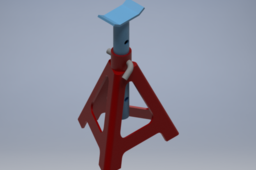
Tutorial: How to save time with Bolts, nuts, washers in Auto desk Inventor.
William
in
Design & CAD
11
2
Beginner
Answer
Autodesk Inventor
tipsntricks
Car holder - Inventor
Mayara Gualberto
in
Assemblies
10
2
Beginner
Step-by-step tutorial for modeling and assembling the car holder in Autodesk Inventor software
Autodesk Inventor
easy
autodesk
inventor
car
Curved Surface Modeling Made Easy in Fusion 360
Jens Nielsen
in
Modeling
10
3
Beginner
Struggling to create smooth, organic shapes in Fusion 360? This beginner-friendly tutorial will unlock the power of curved surface modeling! Join me as we design using revolve-, ruled-, patch- and stitch surfaces. Analyze continuity with zebra stripes. Learn effective techniques for creating stunning, complex shapes, and take your Fusion 360 skills to the next level. No prior experience needed! subscribe and like this video to see more content like this
Fusion 360
Engine Fusion 360
Jakob Andersson
in
Modeling
10
0
Intermediate
Do an Engine in Fusion 360
Fusion 360
tutorial
cad
360
fusion
motor
engine
[VIDEO] LION KING PLATE
Didi Widya Utama
in
Modeling
10
0
Beginner
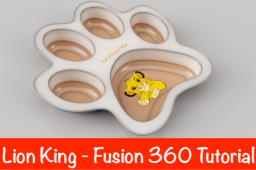
Learn how to make a Lion King (as in the movie) plate. We are going to create a plate from The Lion King using Simba's footprint. It is an easy and perfect exercise for beginners.
Fusion 360
fusion360
simba
lionking
Inventor / Top-down design / Drive unit (Chapter 2)
Yoji Tanaka
in
Modeling
10
0
Intermediate
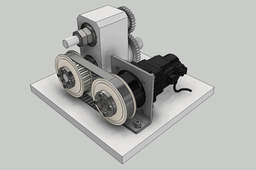
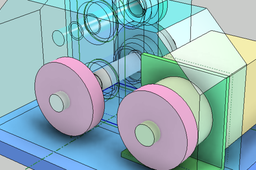
material. The design procedure from conception to detailed design is introduced using the drive unit as an example. Chapter 2 describes from the creation of the conceptual design model (LOD200) to the detail design (LOD300).
Autodesk Inventor
lod
top_down_design
inventor
AIRBUS A320 - Fusion 360
Charles Mepania
in
Modeling
9
0
Beginner
Fusion 320 of Airbus A320 compiled with different Systems.
Fusion 360
avaition
airplane
fusion 360
beginner
airbus
a320
Pulley Tensioner 2, Fusion 360, animation
Auday
in
Assemblies
9
0
Expert
another Pulley Tensioner disassembly using Fusion 360 Animation
Fusion 360
Inventor / Top-down design / Drive unit (Chapter 1)
Yoji Tanaka
in
Modeling
9
0
Intermediate
Inventor's top-down design introductory material. The design procedure from conception to detailed design is introduced using the drive unit as an example. Chapter 1 describes from the creation of the skeleton model (LOD100) to the conceptual design model (LOD200).
Autodesk Inventor
lod
top_down_design
inventor
Activate Orbit/Rotate feature via Mouse in Fusion 360
Logan
in
Modeling
9
4
Beginner
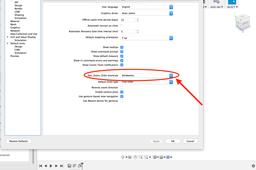
The default Fusion 360 has "PAN" option when you click the middle button of the mouse. If you want to rotate you have to go and select the "ORBIT" icon at the bottom of the screen. This kind of interface makes it somewhat difficult to execute as one has to frequently rotate the model to get an overview of the model being constructed. Solidworks users may find it even more difficult to use it. This tutorial explains how to activate orbit function in mouse.
Fusion 360
click
mouse
resolve
orbit
pan
[Video] Modeling Fan blade
Didi Widya Utama
in
Modeling
9
0
Intermediate
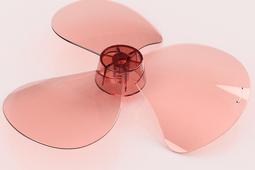
This tutorial will guide you step by step to create Fan Blade
Fusion 360
Close loop.
Danny Key
in
Modeling
9
0
Beginner
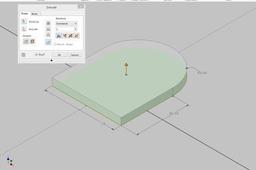
Close loop. Sometimes when you try to extrude or revolve a sketch, you only can select lines instead of a surface. This is a very simple example, it just explains how you can close a loop. You can see that the sketch is not fully constrained in the beginning. That is the first thing you have to check. In the beginning that you learn Inventor all your sketches should be fully constrained. I' am sure there are other ways to fix an open loop.
Autodesk Inventor
revolve
extrude
sketch
modeling
Parametric Pipeshoe DN200-DN250
Danny Key
in
Modeling
9
0
Intermediate
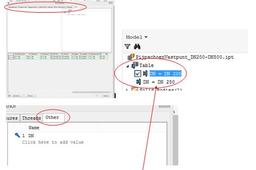
Parametric modelling Example: Pipeshoe DN 200 and DN 250
Autodesk Inventor
i-parts
piping
modelling
1
…
4
5
6
…
100