Learn about the GrabCAD Platform
Get to know GrabCAD as an open software platform for Additive Manufacturing
Visit our new homepage
Home
Control
Shop
Streamline Pro
Partner Program
Print
Community
Log in
Library
Challenges
Groups
Questions
Tutorials
Engineers
Blog
Log in
Learn from thousands of free Tutorials.
New user?
Join the community
or
log in.
Tutorials
Most liked all time
Recent
Most liked
Most viewed
Most commented
This week
This month
All time
Category
Design & CAD
Modeling
Drafting
Assemblies
BOM
Dimensioning / Tolerancing
Translations
Manufacturing & CAM
3D Printing
Tooling
NC Machining
Composites
Measurement / Inspection
Simulation & CAE
FEM
CFD
Kinematics
Process Simulation
Engineering Fundamentals
Theory
Process
Standards
Other
Software
Snagit
Alibre Design
ArchiCAD
AutoCAD
AutoCAD Electrical
Autodesk 3ds Max
Autodesk Alias
Autodesk Inventor
Autodesk Maya
Autodesk Revit
Autodesk 123D
BricsCAD
Bentley MicroStation
BlenderCAD
BobCAD-CAM
CATIA
Delmia
DraftSight
FreeCAD
Femap
Fusion 360
Geomagic Design
IronCAD
JT
Kompas-3D
KeyCreator
KeyShot
Lagoa
Luxology
Mastercam
Moi3D
NX Unigraphics
OBJ
Onshape
OpenSCAD
Parasolid
Powermill
Powershape
Pro/Engineer Wildfire
PTC Creo Parametric
PTC Creo Elements
Rhino
SpaceClaim
SOLIDWORKS
solidThinking Evolve
Solid Edge
SolidFace
STEP / IGES
SketchUp
STL
TopSolid
TinkerCAD
T-Flex CAD
TurboCAD
VectorWorks
ViaCAD 3D
VRML / WRL
ZW3D
GrabCAD Print
Rendering
GrabCAD Community
GrabCAD Workbench
Text file
3D Manufacturing Format
Cinema 4D
Other
Skill level
All levels
Beginner
Intermediate
Expert
Autodesk Inventor
×
BlenderCAD
×
Text file
×
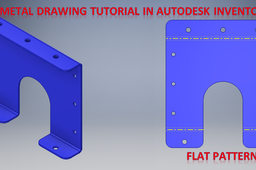
Sheet Metal Drawing Tutorial in Autodesk Inventor || Inventor Tutorials for Beginners || 3d Drawings
ROHAN GUPTA
in
Modeling
0
0
Beginner
Sheet Metal Drawing Tutorial in Autodesk Inventor || Inventor Tutorials for Beginners || 3d Drawings https://youtu.be/w7NJkj0PhLA
Autodesk Inventor
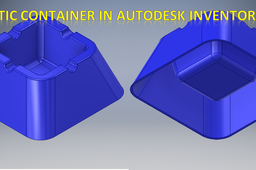
Plastic Container in Autodesk Inventor || Plastic Part design || Part Modelling in Autodesk Inventor
ROHAN GUPTA
in
Modeling
0
0
Beginner
Plastic Container in Autodesk Inventor || Plastic Part design || Part Modelling in Autodesk Inventor https://youtu.be/Hx9UYVCb7V8
Autodesk Inventor
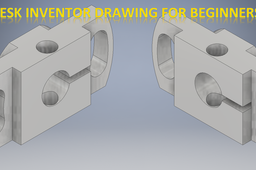
Autodesk Inventor Tutorial for Beginners #452 || Inventor Tutorials || Cad 3d || 3d Drawing Tutorial
ROHAN GUPTA
in
Modeling
0
0
Beginner
Autodesk Inventor Tutorial for Beginners #452 || Inventor Tutorials || Cad 3d || 3d Drawing Tutorial https://youtu.be/t7OK1KKVElU
Autodesk Inventor
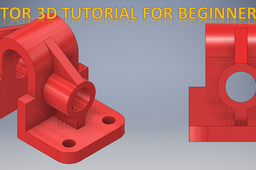
Autodesk Inventor 3d Drawing Tutorial for Beginners #456 || Inventor Tutorials || Cad Practice || 3d
ROHAN GUPTA
in
Modeling
0
0
Beginner
Autodesk Inventor 3d Drawing Tutorial for Beginners #456 || Inventor Tutorials || Cad Practice || 3d https://youtu.be/Bxyo5W4a2mM
Autodesk Inventor
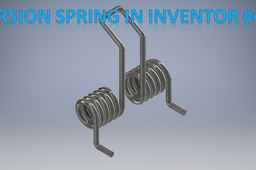
Torsion Spring in Autodesk Inventor || Inventor Tutorial for Beginners || Inventor Basics || Cad 3d
ROHAN GUPTA
in
Modeling
0
0
Beginner
Torsion Spring in Autodesk Inventor || Inventor Tutorial for Beginners || Inventor Basics || Cad 3d https://youtu.be/9AvJiYJo2nw
Autodesk Inventor
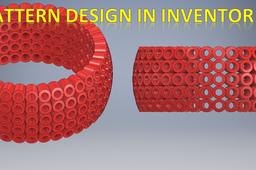
3d pattern design in Autodesk Inventor || Inventor 3d Drawing tutorial for Beginners || 3d Cad
ROHAN GUPTA
in
Modeling
0
0
Beginner
3d pattern design in Autodesk Inventor || Inventor 3d Drawing tutorial for Beginners || 3d Cad https://youtu.be/pgImKVZ-WOc
Autodesk Inventor
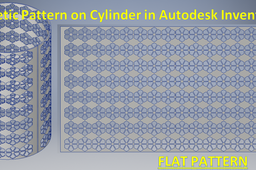
Aesthetic Pattern on Cylinder in Autodesk Inventor Sheetmetal || Inventor Sheetmetal Tutorial || 3d
ROHAN GUPTA
in
Modeling
0
0
Beginner
Aesthetic Pattern on Cylinder in Autodesk Inventor Sheetmetal || Inventor Sheetmetal Tutorial || 3d https://youtu.be/u7gBh_m4poA
Autodesk Inventor
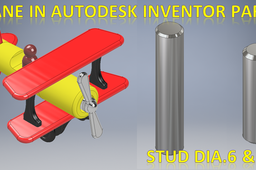
Toy Plane Assembly in Autodesk Inventor Part 6 & 7 || Inventor 3d Drawing Tutorial for Beginners
ROHAN GUPTA
in
Modeling
0
0
Beginner
Toy Plane Assembly in Autodesk Inventor Part 6 & 7 || Inventor 3d Drawing Tutorial for Beginners https://youtu.be/6TNtqJ1jXqQ
Autodesk Inventor
Toy Plane in Autodesk inventor Part 11 || Inventor Tutorial for Beginners || Toy Plane Assembly
ROHAN GUPTA
in
Modeling
0
0
Beginner
Toy Plane in Autodesk inventor Part 11 || Inventor Tutorial for Beginners || Toy Plane Assembly https://youtu.be/w-pCTtEatss
Autodesk Inventor
Toy Plane in Autodesk Inventor Part 12 || Toy plane Assembly in Autodesk Inventor 2024 || Inventor
ROHAN GUPTA
in
Modeling
0
0
Beginner
Toy Plane in Autodesk Inventor Part 12 || Toy plane Assembly in Autodesk Inventor 2024 || Inventor https://youtu.be/Lvbp-TubD0M
Autodesk Inventor
Hydrus 3d tutorial by https://virses.com
architectural renderings India
in
Modeling
0
1
Intermediate
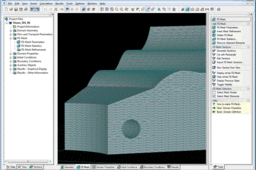
A series of a few video tutorials on this page serves as an introduction to more sophisticated modeling of 3D geometries of general shapes. Three basic techniques for creating objects are illustrated here. Generation of an unstructured 3D finite element mesh is also demonstrated, including the use of local refinement and mesh-stretching. Note that the video tutorials given below are related to the domain type “3D-General” and that simpler computational domains (i.e., 3D-Simple and 3D-Layered) are created differently – see Overview of Domain Types in HYDRUS. https://virses.com Step 1 - Creating Solids in the Dialog for Copying and Transforming Objects This video shows how to create a Solid (volume) using a dialogue window that copies objects and carries out their geometric transformations. Copied objects can be automatically linked, thus creating new Curves, Surfaces, and Solids. This method is especially useful when one needs to create multiple copies of an object in a single step. Procedure: Select Surfaces (including their Points and Curves), from which you want to create Solids (objects). In the dialog window for manipulating geometric objects, select the type of transformation and the number of copies. Select the option for the automatic linking of copied objects and generate Solids. Note: In order to correctly create Solids, it is necessarily to select not only Surfaces, but also their Boundary Curves and Points. Curves will not be generated for Points that are not selected, since linking of Objects is performed only for those selected. Step 2 - Creating Solids graphically by extruding selected Surfaces This tutorial demonstrates the definition of a Solid by extruding a selected Surface. One can generate multiple Solids at the same time if, before running the graphical tool, one selects multiple Surfaces. Direction of extrusion and an exact thickness of a Solid can be specified in the edit boxes. At the same time, one can assign a material number to a Solid, if one uses the option of defining properties on geometric objects. The Solid created this way has boundary surfaces of the type Planar and Quad. If you want to define a Solid bounded by other Surfaces (B-Spline, Rotary, Pipe, TIN, ...), use the procedure described in the following tutorial or in Tutorial 5.03. https://virses.com Step 3 - Creating Solids by Boundary Surfaces This video tutorial serves as an example of the most general way to define 3D domains; namely using the Boundary Surfaces. Boundary Surfaces may be of different types - Planar and/or Curved, and may also be Components (parts of Surfaces) established by cross-sections of their parent Surfaces. In more complex cases (for example, when one Solid is surrounded by other Solids), it is recommended to divide the Domain into Geo Sections (or to use a function “Sections - Cut with rectangle”) and display in the View window only those Surfaces, from which you want to form a new Solid. Then you can conveniently select Surfaces using either rectangle or other forms of selection (selection using a rhomboid or a polygon, or selecting an object in the data tree of the Navigator). It is also possible to switch the View to the wire-frame view (Wire-Frame Model), thereby disclosing objects otherwise hidden behind other objects. When defining a Solid, it is checked that its boundaries are closed. The Solid may include various internal objects - openings, inner Solids, and/or Surfaces, Curves, and Points. Step 4 - Generating the FE-Mesh This video shows the generation of a FE mesh without any further optimization. An automatically selected size of finite elements is used, which is calculated so that the number of elements is in a reasonable range (on the order of tens or hundreds of thousands of elements). However, such an FE mesh need not be appropriate for calculations and it is usually necessary to modify parameters for mesh generation, so that the resulting FE mesh is suitable for a given problem. The basic parameter for generating the FE-mesh is the desired (or targeted) size of finite elements. This size is used everywhere where there is no local FE-mesh refinement specified to adjust this size. At the same time it is worth bearing in mind that FE meshes with a large number of elements (> 1,000,000) are not suitable for calculations on the PC because of a resulting large demand on computational time. Users are advised to read the Notes on Temporal and Spatial Discretization. https://virses.com Step 5 - FE-Mesh Refinements This tutorial demonstrates how to refine the FE mesh using the FE-Mesh Refinement. Mesh Refinements can be defined in Points, on Curves, Surfaces, and/or Solids. Created FE-Mesh Refinement object can then be assigned to one or more geometric objects. In this tutorial, the FE-Mesh Refinement is assigned to four different Solids. If you later decide to refine the FE mesh (for example, to change the desired size of finite elements), you can only change the parameters of the FE-Mesh Refinement object and the sizes of the finite elements will be adjusted in all four elements. Even here, however, the principles mentioned in the previous tutorial need to be considered - the FE mesh needs to be fine enough, so that the numerical solution converges, and not too fine, so that calculations do not take too long. Step 6 - FE-Mesh Stretching In this video we demonstrate the option FE-Mesh Stretching. This option can often help us in creating a FE mesh that reflects direction of pressure head (or concentration) gradients and is thus appropriate for calculations. Note that water fluxes in the vadose zone have predominantly vertical direction. Refinement (shrinkage) of finite elements in one direction (usually vertical direction) gives us a sufficiently fine FE mesh in the direction of high gradients and high fluxes. On the other hand, corresponding stretching of finite elements in the other direction provides us with courser discretization in the direction of minimum fluxes and small gradients, thus reducing the overall number of finite elements and subsequently speeding up numerical calculations. https://virses.com
BlenderCAD
animations
affordable
outsourcing
india
renderings
architectural
3d
RIKON WALL CLOCK
Ritish Hegde
in
Modeling
0
0
Beginner
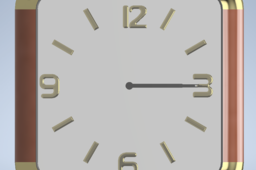
Hey guys, this is Ritish Hegde, I'm uploading my first ever tutorial, hope you will like it, do share,comment
Autodesk Inventor
clock
tutorial
grabcad
design
engineering
modeling
autodesk
autodeskinventor
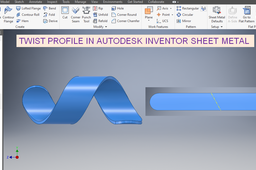
Twisted Sheet Metal Part Model || Autodesk Inventor Sheet Metal Part Drawing || Inventor Sheet Basic
ROHAN GUPTA
in
Modeling
0
0
Beginner
Twisted Sheet Metal Part Model || Autodesk Inventor Sheet Metal Part Drawing || Inventor Sheet Basic https://youtu.be/uoRm0XnADMA Tool Bit Design In Inventor || Autodesk Inventor 3d Modelling || Autodesk Inventor drawing Tutorials https://youtu.be/aQ0We-KLwi8 Turn Buckle in Inventor || Autodesk Inventor Tutorials || Autodesk Inventor Assembly || Inventor cad https://youtu.be/W8YCZChz7KQ
Autodesk Inventor
inventortutorials
inventorbasics
autodeskinventor
inventor
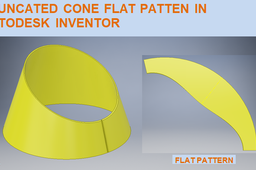
Truncated Cone in Autodesk Inventor Sheet metal || Flat Pattern of Cone In Sheet Metal Inventor 3d
ROHAN GUPTA
in
Modeling
0
0
Beginner
Truncated Cone in Autodesk Inventor Sheet metal || Flat Pattern of Cone In Sheet Metal Inventor 3d https://youtu.be/xiY8fHOnipQ Wire Rope Clamp Assembly in Inventor: https://youtu.be/DHcDzkB8epI?si=y13yjMcyu0fnW2h8 Wrench or Spanner Tool in Inventor https://youtu.be/bc0RcME5_-Y?si=_jrb1HZDDuQvQLQv Dryer Nozzle in Inventor Surfacing https://youtu.be/x_4cZRsb2Fw U Clamp in Autodesk Inventor Sheet Metal || Inventor Drawing Tutorials || Inventor Sheet metal https://youtu.be/aeC3xLcD1WU Twisted Sphere in Inventor || Autodesk Inventor Tutorials || Autodesk Inventor drawing || Complex https://youtu.be/tpYMZhEZzt0 Twisted Sheet Metal Part Model || Autodesk Inventor Sheet Metal Part Drawing || Inventor Sheet Basic https://youtu.be/uoRm0XnADMA Tool Bit Design In Inventor || Autodesk Inventor 3d Modelling || Autodesk Inventor drawing Tutorials https://youtu.be/aQ0We-KLwi8 Turn Buckle in Inventor || Autodesk Inventor Tutorials || Autodesk Inventor Assembly || Inventor cad https://youtu.be/W8YCZChz7KQ Turbine Propeller in Autodesk Inventor || Autodesk Inventor Drawing Basics || Inventor tutorials 3d https://youtu.be/QwteR1YUUF8 T Type Pipe Fitting || Pipe Fitting In Autodesk Inventor || Autodesk Inventor Tutorials || Cad 3d https://youtu.be/fEhBwkL8hvU Table Tennis Bat || Autodesk Inventor Tutorials || Inventor 3d Drawing Tutorials || 3d drawing cad https://youtu.be/_okWzA7hkVU
Autodesk Inventor
3d
sheetmetaltutorials
sheetmetal
inventortutorials
inventor
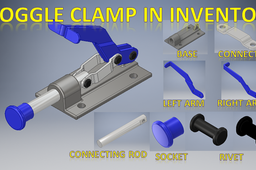
Toggle Clamp in Autodesk Inventor || Autodesk Inventor Assembly Tutorials || Inventor 3d Drawing
ROHAN GUPTA
in
Modeling
0
0
Beginner
Toggle Clamp in Autodesk Inventor || Autodesk Inventor Assembly Tutorials || Inventor 3d Drawing https://youtu.be/mVhyT53rvh8 Wire Rope Clamp Assembly in Inventor: https://youtu.be/DHcDzkB8epI?si=y13yjMcyu0fnW2h8 Wrench or Spanner Tool in Inventor https://youtu.be/bc0RcME5_-Y?si=_jrb1HZDDuQvQLQv Dryer Nozzle in Inventor Surfacing https://youtu.be/x_4cZRsb2Fw U Clamp in Autodesk Inventor Sheet Metal || Inventor Drawing Tutorials || Inventor Sheet metal https://youtu.be/aeC3xLcD1WU Twisted Sphere in Inventor || Autodesk Inventor Tutorials || Autodesk Inventor drawing || Complex https://youtu.be/tpYMZhEZzt0 Twisted Sheet Metal Part Model || Autodesk Inventor Sheet Metal Part Drawing || Inventor Sheet Basic https://youtu.be/uoRm0XnADMA Tool Bit Design In Inventor || Autodesk Inventor 3d Modelling || Autodesk Inventor drawing Tutorials https://youtu.be/aQ0We-KLwi8 Turn Buckle in Inventor || Autodesk Inventor Tutorials || Autodesk Inventor Assembly || Inventor cad https://youtu.be/W8YCZChz7KQ Turbine Propeller in Autodesk Inventor || Autodesk Inventor Drawing Basics || Inventor tutorials 3d https://youtu.be/QwteR1YUUF8 T Type Pipe Fitting || Pipe Fitting In Autodesk Inventor || Autodesk Inventor Tutorials || Cad 3d https://youtu.be/fEhBwkL8hvU Table Tennis Bat || Autodesk Inventor Tutorials || Inventor 3d Drawing Tutorials || 3d drawing cad https://youtu.be/_okWzA7hkVU Truncated Cone in Autodesk Inventor Sheet metal || Flat Pattern of Cone In Sheet Metal Inventor 3d https://youtu.be/xiY8fHOnipQ
Autodesk Inventor
assembly
solidworks
autodeskinventor
autodesk
inventor
1
…
84
85
86
…
96