Learn about the GrabCAD Platform
Get to know GrabCAD as an open software platform for Additive Manufacturing
Visit our new homepage
Home
Control
Shop
Streamline Pro
Partner Program
Print
Community
Log in
Library
Challenges
Groups
Questions
Tutorials
Engineers
Blog
Log in
Learn from thousands of free Tutorials.
New user?
Join the community
or
log in.
Tutorials
Most liked all time
Recent
Most liked
Most viewed
Most commented
This week
This month
All time
Category
Design & CAD
Modeling
Drafting
Assemblies
BOM
Dimensioning / Tolerancing
Translations
Manufacturing & CAM
3D Printing
Tooling
NC Machining
Composites
Measurement / Inspection
Simulation & CAE
FEM
CFD
Kinematics
Process Simulation
Engineering Fundamentals
Theory
Process
Standards
Other
Software
Snagit
Alibre Design
ArchiCAD
AutoCAD
AutoCAD Electrical
Autodesk 3ds Max
Autodesk Alias
Autodesk Inventor
Autodesk Maya
Autodesk Revit
Autodesk 123D
BricsCAD
Bentley MicroStation
BlenderCAD
BobCAD-CAM
CATIA
Delmia
DraftSight
FreeCAD
Femap
Fusion 360
Geomagic Design
IronCAD
JT
Kompas-3D
KeyCreator
KeyShot
Lagoa
Luxology
Mastercam
Moi3D
NX Unigraphics
OBJ
Onshape
OpenSCAD
Parasolid
Powermill
Powershape
Pro/Engineer Wildfire
PTC Creo Parametric
PTC Creo Elements
Rhino
SpaceClaim
SOLIDWORKS
solidThinking Evolve
Solid Edge
SolidFace
STEP / IGES
SketchUp
STL
TopSolid
TinkerCAD
T-Flex CAD
TurboCAD
VectorWorks
ViaCAD 3D
VRML / WRL
ZW3D
GrabCAD Print
Rendering
GrabCAD Community
GrabCAD Workbench
Text file
3D Manufacturing Format
Cinema 4D
Other
Skill level
All levels
Beginner
Intermediate
Expert
Drafting
×
Simulation & CAE
×
Autodesk Inventor
×
FreeCAD
×
Cap screws and machine screws
dea
in
Drafting
69
12
Intermediate
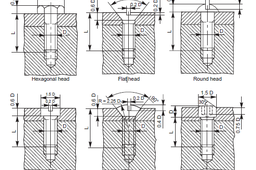
Cap screws and machine screws are similar in shape, differing only in their relative sizes. Machine screws are usually smaller in size, compared to cap screws. These are used for fastening two parts, one with clearance hole and the other with tapped hole. The clearance of the unthreaded hole need not be shown on the drawing as its presence is obvious. Figure 5.24 shows different types of cap and machine screws, with proportions marked Cap screws are produced in finish form and are used on machines where accuracy and appearance are important. As cap screws are inferior to studs, they are used only on machines requiring few adjustments and are not suitable where frequent removal is necessary. These are produced in different diameters, upto a maximum of 100 mm and lengths 250 mm. Machine screws are produced with a naturally bright finish and are not heat treated. They are particularly adopted for screwing into thin materials and the smaller ones are threaded throughout the length. They are used in fire-arms, jigs, fixture and dies. They are produced in different diameters upto a maximum of 20 mm and lengths upto 50 mm.
Autodesk Inventor
screw
cap
[EPS 04] Cara membuat Etiket Gambar Teknik | Autodesk Inventor
Suryo Puji Buwono
in
Drafting
3
0
Beginner
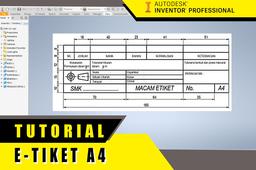
Cara membuat Etiket Gambar Teknik dengan Autodeks Inventor
Autodesk Inventor
teknik
gambar
e-tiket
Autodesk Inventor Drafting: Exploded View Drawing & Parts List
Jens Nielsen
in
Drafting
3
0
Beginner
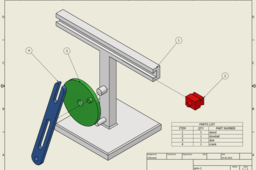
I will guide you through the process of creating an exploded view drawing of the Quick Return Mechanism assembly. We'll begin by creating a presentation file in Inventor to generate an exploded view storyboard. Next, we'll transition to the drawing environment. You'll learn how to create a new drawing from your exploded view, ensuring proper scaling and placement. A key focus will be on automatically generating a parts list (BOM) directly from your assembly data, populating it with essential information like item number, quantity, and part name. We'll then add balloons to your exploded view, linking each component to its corresponding entry in the parts list, making your drawing easy to interpret. You can find the STEP files for the Quick Return Mechanism on my GrabCAD profile, so you can follow along step-by-step. https://grabcad.com/library/quick-return-mechanism-65
Autodesk Inventor
Create blue print by Autodesk Inventor
Ebrahim Zokaee
in
Drafting
2
1
Intermediate
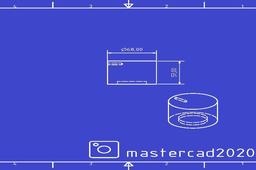
In this tutorial, study how to create a blue print by Autodesk inventor.
Autodesk Inventor
inventor
drafting
blue print
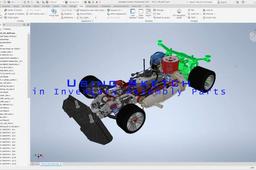
Using Sketch in Inventor Assembly Parts.
Harm chang woo
in
Drafting
1
0
Beginner
1. Create a sketch from the assembly parts. 2. Build new parts by referring to sketches.
Autodesk Inventor
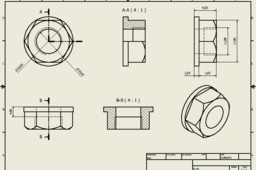
Castor Nuts Drawing
Nazwa Atirah
in
Drafting
0
0
Beginner
Hydraulic Floor Jack's Castor Nuts Drawing Tutorial
Autodesk Inventor
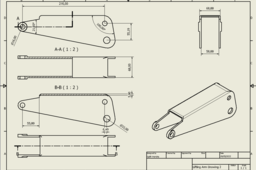
Lifting Arm Drawing
Galih Hendra Bhagaskara
in
Drafting
0
0
Beginner
Hydraulic Floor Jack Lifting Arm Drawing
Autodesk Inventor
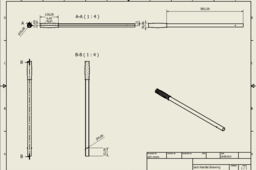
Jack Handle Drawing
Galih Hendra Bhagaskara
in
Drafting
0
0
Beginner
Hydraulic Floor Jack Jack Handle Drawing
Autodesk Inventor
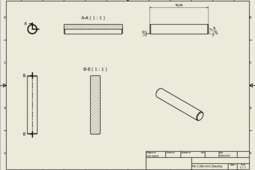
Pin 96mm Drawing
Galih Hendra Bhagaskara
in
Drafting
0
0
Beginner
Hydraulic Floor Jack Pin 96mm Drawing
Autodesk Inventor
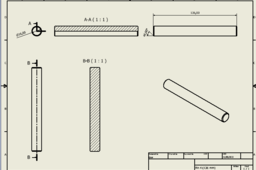
Pin 4 (136 mm) Drawing
Nazwa Atirah
in
Drafting
0
0
Beginner
Hydraulic Floor Jack's Pin 4 Drawing Tutorial
Autodesk Inventor
Autodesk Inventor Tutorial Adding colour
Vikash Kumar
in
Drafting
0
0
Beginner
https://www.youtube.com/watch?v=iickqMM7mV0
Autodesk Inventor
metarial
rendering
color
Testing Open Source CAD Import: Fea/CFD
SJS2_Fish2
in
FEM
0
0
Beginner
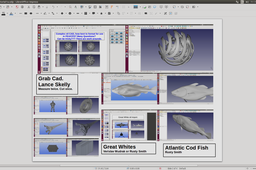
Hi, I am testing open source CAD import for open source FEA & CFD. Acoustics, Bio-Medical, Vehicle CAD for Dynamics such as Off Road Vehicles, etc. I need interesting CAD test cases for everything from acoustics of animals to off road high speed impact. All I need is that the CAD is stitched up when possible. STL is very tricky to convert to solids sometimes but there are work arounds. Pretty much there are 2 levels: 1. Highly representative CAD test cases, but simple, for multi-physics quick what if tests, could be coupled CFD into Mechanical FEA. For example, super clean CAD of 2 gear teeth on a shaft meshing. and 2. Very complex CAD but super clean with no gaps for the Bigger Picture complex analyses. For example, how much computer power do we need to solve more complex large CAD models. More interested in mechanical design but my hobby is the CFD and acoustic analyses of fish swimming. Hundreds of millions of years taught the sharks far more than we know, may be? Very Grateful for any test cases you are happy to share. I am looking for perfect CAD please. Thanks, Simon. I used to be sjs_Fish1 but lost my log in.
FreeCAD
Animación Pulidora en Inventor Studio
Carlos Sebastián Di Giulio
in
Process Simulation
0
0
Intermediate
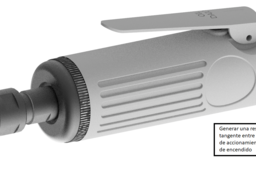
Pasos de como animar una Pulidora en Inventor Studio
Autodesk Inventor
animacion
Shaft Break View Tutorials
HOZUKI 鬼燈
in
Drafting
0
0
Beginner
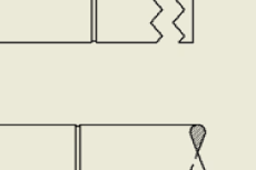
Inventor has limited break view style. For Pipe/Rod/Shaft we can modify in drawing files for a nicer look Here is the the demo video : https://vimeo.com/550047734
Autodesk Inventor
shaft
drafting
inventor
view
break
Front Wheel Drawing
Nazwa Atirah
in
Drafting
0
0
Beginner
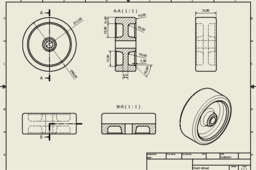
Hydraulic Floor Jack's Front Wheel Drawing Tutorial
Autodesk Inventor
1
2