Learn about the GrabCAD Platform
Get to know GrabCAD as an open software platform for Additive Manufacturing
Visit our new homepage
Home
Control
Shop
Streamline Pro
Partner Program
Print
Community
Log in
Library
Challenges
Groups
Questions
Tutorials
Engineers
Blog
Log in
Learn from thousands of free Tutorials.
New user?
Join the community
or
log in.
Tutorials
Most liked all time
Recent
Most liked
Most viewed
Most commented
This week
This month
All time
Category
Design & CAD
Modeling
Drafting
Assemblies
BOM
Dimensioning / Tolerancing
Translations
Manufacturing & CAM
3D Printing
Tooling
NC Machining
Composites
Measurement / Inspection
Simulation & CAE
FEM
CFD
Kinematics
Process Simulation
Engineering Fundamentals
Theory
Process
Standards
Other
Software
Snagit
Alibre Design
ArchiCAD
AutoCAD
AutoCAD Electrical
Autodesk 3ds Max
Autodesk Alias
Autodesk Inventor
Autodesk Maya
Autodesk Revit
Autodesk 123D
BricsCAD
Bentley MicroStation
BlenderCAD
BobCAD-CAM
CATIA
Delmia
DraftSight
FreeCAD
Femap
Fusion 360
Geomagic Design
IronCAD
JT
Kompas-3D
KeyCreator
KeyShot
Lagoa
Luxology
Mastercam
Moi3D
NX Unigraphics
OBJ
Onshape
OpenSCAD
Parasolid
Powermill
Powershape
Pro/Engineer Wildfire
PTC Creo Parametric
PTC Creo Elements
Rhino
SpaceClaim
SOLIDWORKS
solidThinking Evolve
Solid Edge
SolidFace
STEP / IGES
SketchUp
STL
TopSolid
TinkerCAD
T-Flex CAD
TurboCAD
VectorWorks
ViaCAD 3D
VRML / WRL
ZW3D
GrabCAD Print
Rendering
GrabCAD Community
GrabCAD Workbench
Text file
3D Manufacturing Format
Cinema 4D
Other
Skill level
All levels
Beginner
Intermediate
Expert
certification
×
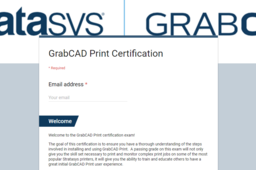
How to get GrabCAD Print Certification Badge.
shubham gupta
in
3D Printing
20
5
Beginner
In this tutorial i will show you how to achieve or unlock GrabCAD Print Certification badge.
badge
certification
print
grabcad
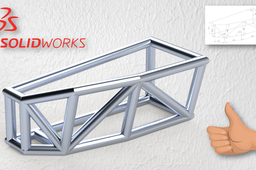
[VIDEO] SOLIDWORKS WELDMENTS TUTORIAL 1 STRUCTURE
El Pozo
in
Modeling
5
1
Intermediate
This is the Basic Solidworks Weldments tutorial for Beginners, I hope you enjoy it, regards.
SOLIDWORKS
design
2d
certification
weldments
tutorial
3d
cad
solidworks
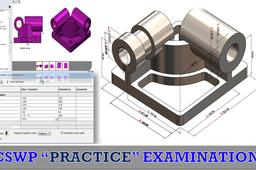
How to Pass CSWP Certified SolidWorks Professional Free Segment 1 Exam
jehan kothari
in
Modeling
4
0
Intermediate
In this video, I have shown the complete step of using Tangix Software and how to pass CSWP Free Segment Exam. If you like this video then please let me know.
SOLIDWORKS
advanced
modeling
3d
certification
cswp
cswa
solidworks
[VIDEO] SOLIDWORKS PRACTICE PIECE 5
El Pozo
in
Modeling
2
0
Intermediate
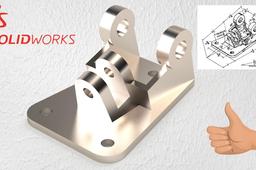
SolidWorks is a solid modeler, and utilizes a parametric feature-based approach which was initially developed by PTC (Creo/Pro-Engineer) to create models and assemblies. The software is written on Parasolid-kernel.
SOLIDWORKS
design
2d
certification
weldments
tutorial
3d
cad
solidworks
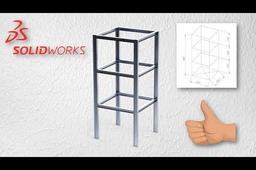
SOLIDWORKS WELDMENTS TUTORIAL 2 BASIC STRUCTURE
El Pozo
in
Modeling
1
0
Intermediate
Weldments functionality enables you to design a weldment structure as a single multibody part. You use 2D and 3D sketches to define the basic framework. Then you create structural members containing groups of sketch segments. You can also add items such as gussets and end caps using tools on the Weldments toolbar.
SOLIDWORKS
design
2d
certification
weldments
tutorial
3d
cad
solidworks
SOLIDWORKS PRACTICE PIECE 9
El Pozo
in
Modeling
1
0
Intermediate
SolidWorks is a solid modeler, and utilizes a parametric feature-based approach which was initially developed by PTC (Creo/Pro-Engineer) to create models and assemblies. The software is written on Parasolid-kernel. Parameters refer to constraints whose values determine the shape or geometry of the model or assembly. Parameters can be either numeric parameters, such as line lengths or circle diameters, or geometric parameters, such as tangent, parallel, concentric, horizontal or vertical, etc. Numeric parameters can be associated with each other through the use of relations, which allows them to capture design intent. Design intent is how the creator of the part wants it to respond to changes and updates. For example, you would want the hole at the top of a beverage can to stay at the top surface, regardless of the height or size of the can. SolidWorks allows the user to specify that the hole is a feature on the top surface, and will then honor their design intent no matter what height they later assign to the can. Features refer to the building blocks of the part. They are the shapes and operations that construct the part. Shape-based features typically begin with a 2D or 3D sketch of shapes such as bosses, holes, slots, etc. This shape is then extruded or cut to add or remove material from the part. Operation-based features are not sketch-based, and include features such as fillets, chamfers, shells, applying draft to the faces of a part, etc. screen shot captured from a SolidWorks top-down design approach. Building a model in SolidWorks usually starts with a 2D sketch (although 3D sketches are available for power users). The sketch consists of geometry such as points, lines, arcs, conics (except the hyperbola), and splines. Dimensions are added to the sketch to define the size and location of the geometry. Relations are used to define attributes such as tangency, parallelism, perpendicularity, and concentricity. The parametric nature of SolidWorks means that the dimensions and relations drive the geometry, not the other way around. The dimensions in the sketch can be controlled independently, or by relationships to other parameters inside or outside of the sketch. In an assembly, the analog to sketch relations are mates. Just as sketch relations define conditions such as tangency, parallelism, and concentricity with respect to sketch geometry, assembly mates define equivalent relations with respect to the individual parts or components, allowing the easy construction of assemblies. SolidWorks also includes additional advanced mating features such as gear and cam follower mates, which allow modeled gear assemblies to accurately reproduce the rotational movement of an actual gear train. Finally, drawings can be created either from parts or assemblies. Views are automatically generated from the solid model, and notes, dimensions and tolerances can then be easily added to the drawing as needed. The drawing module includes most paper sizes and standards (ANSI, ISO, DIN, GOST, JIS, BSI and SAC).
SOLIDWORKS
design
2d
certification
weldments
tutorial
3d
cad
solidworks
SOLIDWORKS PRACTICE PIECE 2
El Pozo
in
Modeling
0
0
Intermediate
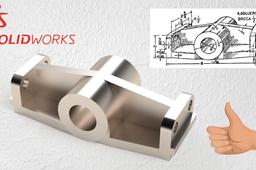
SolidWorks is a solid modeler, and utilizes a parametric feature-based approach which was initially developed by PTC (Creo/Pro-Engineer) to create models and assemblies. The software is written on Parasolid-kernel. Parameters refer to constraints whose values determine the shape or geometry of the model or assembly. Parameters can be either numeric parameters, such as line lengths or circle diameters, or geometric parameters, such as tangent, parallel, concentric, horizontal or vertical, etc. Numeric parameters can be associated with each other through the use of relations, which allows them to capture design intent.
SOLIDWORKS
design
2d
certification
weldments
tutorial
3d
cad
solidworks
SOLIDWORKS PRACTICE PIECE 6
El Pozo
in
Modeling
0
0
Intermediate
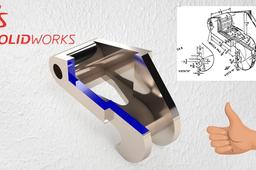
SolidWorks is a solid modeler, and utilizes a parametric feature-based approach which was initially developed by PTC (Creo/Pro-Engineer) to create models and assemblies. The software is written on Parasolid-kernel.
SOLIDWORKS
design
2d
certification
weldments
tutorial
3d
cad
solidworks
SOLIDWORKS PRACTICE PIECE 8
El Pozo
in
Modeling
0
0
Intermediate
SolidWorks is a solid modeler, and utilizes a parametric feature-based approach which was initially developed by PTC (Creo/Pro-Engineer) to create models and assemblies. The software is written on Parasolid-kernel. Parameters refer to constraints whose values determine the shape or geometry of the model or assembly. Parameters can be either numeric parameters, such as line lengths or circle diameters, or geometric parameters, such as tangent, parallel, concentric, horizontal or vertical, etc. Numeric parameters can be associated with each other through the use of relations, which allows them to capture design intent. Design intent is how the creator of the part wants it to respond to changes and updates. For example, you would want the hole at the top of a beverage can to stay at the top surface, regardless of the height or size of the can. SolidWorks allows the user to specify that the hole is a feature on the top surface, and will then honor their design intent no matter what height they later assign to the can. Features refer to the building blocks of the part. They are the shapes and operations that construct the part. Shape-based features typically begin with a 2D or 3D sketch of shapes such as bosses, holes, slots, etc. This shape is then extruded or cut to add or remove material from the part. Operation-based features are not sketch-based, and include features such as fillets, chamfers, shells, applying draft to the faces of a part, etc. screen shot captured from a SolidWorks top-down design approach. Building a model in SolidWorks usually starts with a 2D sketch (although 3D sketches are available for power users). The sketch consists of geometry such as points, lines, arcs, conics (except the hyperbola), and splines. Dimensions are added to the sketch to define the size and location of the geometry. Relations are used to define attributes such as tangency, parallelism, perpendicularity, and concentricity. The parametric nature of SolidWorks means that the dimensions and relations drive the geometry, not the other way around. The dimensions in the sketch can be controlled independently, or by relationships to other parameters inside or outside of the sketch. In an assembly, the analog to sketch relations are mates. Just as sketch relations define conditions such as tangency, parallelism, and concentricity with respect to sketch geometry, assembly mates define equivalent relations with respect to the individual parts or components, allowing the easy construction of assemblies. SolidWorks also includes additional advanced mating features such as gear and cam follower mates, which allow modeled gear assemblies to accurately reproduce the rotational movement of an actual gear train. Finally, drawings can be created either from parts or assemblies. Views are automatically generated from the solid model, and notes, dimensions and tolerances can then be easily added to the drawing as needed. The drawing module includes most paper sizes and standards (ANSI, ISO, DIN, GOST, JIS, BSI and SAC).
SOLIDWORKS
design
2d
certification
weldments
tutorial
3d
cad
solidworks
CSWA Simulation Exercise 2 in SolidWorks
Sefatullah Sifat
in
FEM
0
0
Intermediate
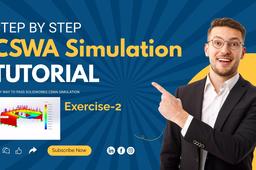
A video tutorial for who are interested in static load analysis and planning for CSWA simulation certification exam. If you like it then please subscribe my channel for more helpful videos. https://youtu.be/p-R6rT35hTI
cad
exam
certification
simulation
static
cswa
solidworks
tutorial
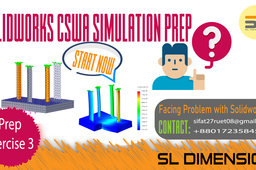
CSWA simulation certification exercise-3
Sefatullah Sifat
in
FEM
0
0
Intermediate
This tutorial is for 20 marks in the solidworks CSWA simulation exam https://www.youtube.com/@SLDIMENSION27
preparation
sl dimension
exercise
solidworks
certification
simulation
cswa
SOLIDWORKS PRACTICE PIECE 1
El Pozo
in
Modeling
0
0
Intermediate
SolidWorks is a solid modeler, and utilizes a parametric feature-based approach which was initially developed by PTC (Creo/Pro-Engineer) to create models and assemblies. The software is written on Parasolid-kernel.
SOLIDWORKS
design
2d
certification
weldments
tutorial
3d
cad
solidworks
SOLIDWORKS PRACTICE PIECE 4
El Pozo
in
Modeling
0
0
Intermediate
SolidWorks is a solid modeler, and utilizes a parametric feature-based approach which was initially developed by PTC (Creo/Pro-Engineer) to create models and assemblies. The software is written on Parasolid-kernel. Parameters refer to constraints whose values determine the shape or geometry of the model or assembly. Parameters can be either numeric parameters, such as line lengths or circle diameters, or geometric parameters, such as tangent, parallel, concentric, horizontal or vertical, etc. Numeric parameters can be associated with each other through the use of relations, which allows them to capture design intent. Design intent is how the creator of the part wants it to respond to changes and updates. For example, you would want the hole at the top of a beverage can to stay at the top surface, regardless of the height or size of the can. SolidWorks allows the user to specify that the hole is a feature on the top surface, and will then honor their design intent no matter what height they later assign to the can. Features refer to the building blocks of the part. They are the shapes and operations that construct the part. Shape-based features typically begin with a 2D or 3D sketch of shapes such as bosses, holes, slots, etc. This shape is then extruded or cut to add or remove material from the part. Operation-based features are not sketch-based, and include features such as fillets, chamfers, shells, applying draft to the faces of a part, etc. screen shot captured from a SolidWorks top-down design approach. Building a model in SolidWorks usually starts with a 2D sketch (although 3D sketches are available for power users). The sketch consists of geometry such as points, lines, arcs, conics (except the hyperbola), and splines. Dimensions are added to the sketch to define the size and location of the geometry. Relations are used to define attributes such as tangency, parallelism, perpendicularity, and concentricity. The parametric nature of SolidWorks means that the dimensions and relations drive the geometry, not the other way around. The dimensions in the sketch can be controlled independently, or by relationships to other parameters inside or outside of the sketch. In an assembly, the analog to sketch relations are mates. Just as sketch relations define conditions such as tangency, parallelism, and concentricity with respect to sketch geometry, assembly mates define equivalent relations with respect to the individual parts or components, allowing the easy construction of assemblies. SolidWorks also includes additional advanced mating features such as gear and cam follower mates, which allow modeled gear assemblies to accurately reproduce the rotational movement of an actual gear train. Finally, drawings can be created either from parts or assemblies. Views are automatically generated from the solid model, and notes, dimensions and tolerances can then be easily added to the drawing as needed. The drawing module includes most paper sizes and standards (ANSI, ISO, DIN, GOST, JIS, BSI and SAC).
SOLIDWORKS
design
2d
certification
weldments
tutorial
3d
cad
solidworks
SOLIDWORKS PRACTICE PIECE 7
El Pozo
in
Modeling
0
0
Intermediate
SolidWorks is a solid modeler, and utilizes a parametric feature-based approach which was initially developed by PTC (Creo/Pro-Engineer) to create models and assemblies. The software is written on Parasolid-kernel. Parameters refer to constraints whose values determine the shape or geometry of the model or assembly. Parameters can be either numeric parameters, such as line lengths or circle diameters, or geometric parameters, such as tangent, parallel, concentric, horizontal or vertical, etc. Numeric parameters can be associated with each other through the use of relations, which allows them to capture design intent. Design intent is how the creator of the part wants it to respond to changes and updates. For example, you would want the hole at the top of a beverage can to stay at the top surface, regardless of the height or size of the can. SolidWorks allows the user to specify that the hole is a feature on the top surface, and will then honor their design intent no matter what height they later assign to the can. Features refer to the building blocks of the part. They are the shapes and operations that construct the part. Shape-based features typically begin with a 2D or 3D sketch of shapes such as bosses, holes, slots, etc. This shape is then extruded or cut to add or remove material from the part. Operation-based features are not sketch-based, and include features such as fillets, chamfers, shells, applying draft to the faces of a part, etc. screen shot captured from a SolidWorks top-down design approach. Building a model in SolidWorks usually starts with a 2D sketch (although 3D sketches are available for power users). The sketch consists of geometry such as points, lines, arcs, conics (except the hyperbola), and splines. Dimensions are added to the sketch to define the size and location of the geometry. Relations are used to define attributes such as tangency, parallelism, perpendicularity, and concentricity. The parametric nature of SolidWorks means that the dimensions and relations drive the geometry, not the other way around. The dimensions in the sketch can be controlled independently, or by relationships to other parameters inside or outside of the sketch. In an assembly, the analog to sketch relations are mates. Just as sketch relations define conditions such as tangency, parallelism, and concentricity with respect to sketch geometry, assembly mates define equivalent relations with respect to the individual parts or components, allowing the easy construction of assemblies. SolidWorks also includes additional advanced mating features such as gear and cam follower mates, which allow modeled gear assemblies to accurately reproduce the rotational movement of an actual gear train. Finally, drawings can be created either from parts or assemblies. Views are automatically generated from the solid model, and notes, dimensions and tolerances can then be easily added to the drawing as needed. The drawing module includes most paper sizes and standards (ANSI, ISO, DIN, GOST, JIS, BSI and SAC).
SOLIDWORKS
design
2d
certification
weldments
tutorial
3d
cad
solidworks
CSWA Simulation certification Exercise-4
Sefatullah Sifat
in
FEM
0
0
Intermediate
This tutorial is for those who are preparing themselves for CSWA simulation exam. https://www.youtube.com/@SLDIMENSION27
preparation
sl dimension
exercise
certification
simulation
cswa
solidworks