Learn about the GrabCAD Platform
Get to know GrabCAD as an open software platform for Additive Manufacturing
Visit our new homepage
Home
Control
Shop
Streamline Pro
Partner Program
Print
Community
Log in
Library
Challenges
Groups
Questions
Tutorials
Engineers
Blog
Log in
Learn from thousands of free Tutorials.
New user?
Join the community
or
log in.
Tutorials
Most liked all time
Recent
Most liked
Most viewed
Most commented
This week
This month
All time
Category
Design & CAD
Modeling
Drafting
Assemblies
BOM
Dimensioning / Tolerancing
Translations
Manufacturing & CAM
3D Printing
Tooling
NC Machining
Composites
Measurement / Inspection
Simulation & CAE
FEM
CFD
Kinematics
Process Simulation
Engineering Fundamentals
Theory
Process
Standards
Other
Software
Snagit
Alibre Design
ArchiCAD
AutoCAD
AutoCAD Electrical
Autodesk 3ds Max
Autodesk Alias
Autodesk Inventor
Autodesk Maya
Autodesk Revit
Autodesk 123D
BricsCAD
Bentley MicroStation
BlenderCAD
BobCAD-CAM
CATIA
Delmia
DraftSight
FreeCAD
Femap
Fusion 360
Geomagic Design
IronCAD
JT
Kompas-3D
KeyCreator
KeyShot
Lagoa
Luxology
Mastercam
Moi3D
NX Unigraphics
OBJ
Onshape
OpenSCAD
Parasolid
Powermill
Powershape
Pro/Engineer Wildfire
PTC Creo Parametric
PTC Creo Elements
Rhino
SpaceClaim
SOLIDWORKS
solidThinking Evolve
Solid Edge
SolidFace
STEP / IGES
SketchUp
STL
TopSolid
TinkerCAD
T-Flex CAD
TurboCAD
VectorWorks
ViaCAD 3D
VRML / WRL
ZW3D
GrabCAD Print
Rendering
GrabCAD Community
GrabCAD Workbench
Text file
3D Manufacturing Format
Cinema 4D
Other
Skill level
All levels
Beginner
Intermediate
Expert
dimensional
×
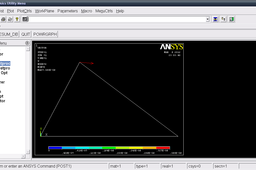
Tutorial - 2D Truss analysis in Mechanical APDL (ANSYS) Part 2?
Sudhir Gill
in
Design & CAD
4
3
Beginner
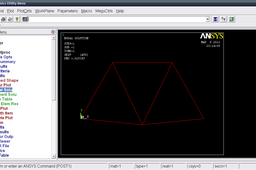
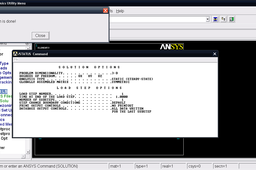
In general, a finite element solution may be broken into the following three stages. 1. Preprocessing: defining the problem; - Define keypoints/lines/areas/volumes - Define element type and material/geometric properties - Mesh lines/areas/volumes as required 2. Solution: assigning loads, constraints and solving; 3. Postprocessing: - Lists of nodal displacements - Element forces and moments - Deflection plots - Stress contour diagrams In this tutorial we will go through second and third step.
Other
two
mechanical
truss
bridge
2d
ansys
tutorial
analysis
dimensional
cae
apdl
Tutorial - Solving 2D Truss problem using Mechanical APDL (ANSYS) Part 1?
Sudhir Gill
in
Design & CAD
3
1
Beginner
In general, a finite element solution may be broken into the following three stages. 1. Preprocessing: defining the problem; - Define keypoints/lines/areas/volumes - Define element type and material/geometric properties - Mesh lines/areas/volumes as required 2. Solution: assigning loads, constraints and solving; 3. Postprocessing: - Lists of nodal displacements - Element forces and moments - Deflection plots - Stress contour diagrams In this tutorial we will go through first and seecond step here.
Other
two
mechanical
truss
bridge
2d
ansys
tutorial
analysis
dimensional
cae
apdl
Tutorial - 2D Truss analysis in Mechanical APDL (ANSYS) Part 1?
Sudhir Gill
in
Design & CAD
3
1
Beginner
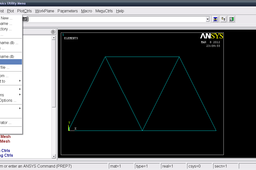
In general, a finite element solution may be broken into the following three stages. 1. Preprocessing: defining the problem; - Define keypoints/lines/areas/volumes - Define element type and material/geometric properties - Mesh lines/areas/volumes as required 2. Solution: assigning loads, constraints and solving; 3. Postprocessing: - Lists of nodal displacements - Element forces and moments - Deflection plots - Stress contour diagrams In this tutorial we will go through first step.
Other
two
mechanical
truss
bridge
2d
ansys
tutorial
analysis
dimensional
cae
apdl
Tutorial - Solving 2D Truss problem using Mechanical APDL (ANSYS)?
Sudhir Gill
in
Design & CAD
2
2
Beginner
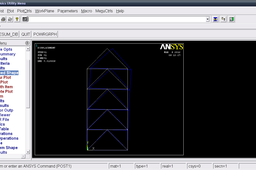
In general, a finite element solution may be broken into the following three stages. 1. Preprocessing: defining the problem; - Define keypoints/lines/areas/volumes - Define element type and material/geometric properties - Mesh lines/areas/volumes as required 2. Solution: assigning loads, constraints and solving; 3. Postprocessing: - Lists of nodal displacements - Element forces and moments - Deflection plots - Stress contour diagrams We will go through these and solve the problem. I will suggest you to go through this tutorial before solving this problem. http://grabcad.com/questions/tutorial-2d-truss-analysis-in-mechanical-apdl-ansys-part-1
Other
two
mechanical
truss
bridge
2d
problem
ansys
tutorial
analysis
dimensional
cae
solution
apdl
Tutorial - Solving 2D Truss problem using Mechanical APDL (ANSYS) Part 2?
Sudhir Gill
in
Design & CAD
1
1
Beginner
In this tutorial we will go through the third step. We will review our results.
Other
two
mechanical
truss
bridge
2d
ansys
tutorial
analysis
dimensional
cae
apdl
CATIA V5 - Increase your productivity with Automatic Dimensional Constraints
3D Comparison
in
Modeling
0
0
Beginner
Dimensional constraints are a powerful tool in CATIA V5 that can help you to improve the accuracy and consistency of your designs. By automatically applying dimensional constraints to your sketches and features, you can ensure that your designs meet the required specifications and that dimensions update correctly as your design changes. This can save you a lot of time and effort, especially when working on complex designs.
CATIA
productivity
constraints
dimensional
automatic
catia