Learn about the GrabCAD Platform
Get to know GrabCAD as an open software platform for Additive Manufacturing
Visit our new homepage
Home
Control
Shop
Streamline Pro
Partner Program
Print
Community
Log in
Library
Challenges
Groups
Questions
Tutorials
Engineers
Blog
Log in
Learn from thousands of free Tutorials.
New user?
Join the community
or
log in.
Tutorials
Most liked all time
Recent
Most liked
Most viewed
Most commented
This week
This month
All time
Category
Design & CAD
Modeling
Drafting
Assemblies
BOM
Dimensioning / Tolerancing
Translations
Manufacturing & CAM
3D Printing
Tooling
NC Machining
Composites
Measurement / Inspection
Simulation & CAE
FEM
CFD
Kinematics
Process Simulation
Engineering Fundamentals
Theory
Process
Standards
Other
Software
Snagit
Alibre Design
ArchiCAD
AutoCAD
AutoCAD Electrical
Autodesk 3ds Max
Autodesk Alias
Autodesk Inventor
Autodesk Maya
Autodesk Revit
Autodesk 123D
BricsCAD
Bentley MicroStation
BlenderCAD
BobCAD-CAM
CATIA
Delmia
DraftSight
FreeCAD
Femap
Fusion 360
Geomagic Design
IronCAD
JT
Kompas-3D
KeyCreator
KeyShot
Lagoa
Luxology
Mastercam
Moi3D
NX Unigraphics
OBJ
Onshape
OpenSCAD
Parasolid
Powermill
Powershape
Pro/Engineer Wildfire
PTC Creo Parametric
PTC Creo Elements
Rhino
SpaceClaim
SOLIDWORKS
solidThinking Evolve
Solid Edge
SolidFace
STEP / IGES
SketchUp
STL
TopSolid
TinkerCAD
T-Flex CAD
TurboCAD
VectorWorks
ViaCAD 3D
VRML / WRL
ZW3D
GrabCAD Print
Rendering
GrabCAD Community
GrabCAD Workbench
Text file
3D Manufacturing Format
Cinema 4D
Other
Skill level
All levels
Beginner
Intermediate
Expert
key
×
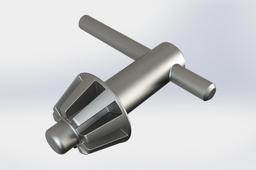
[Video] Solidworks: Chuck key
Huy Pham
in
Modeling
7
1
Beginner
I hope this video useful for everyone want to become professional design of engineer I have a channel in youtube about CAD 3D, I hope this useful for you: https://www.youtube.com/channel/UCw_Zp8rsvtI01SnhkM_4FAw
SOLIDWORKS
tutorial
key
chuck
solidworks
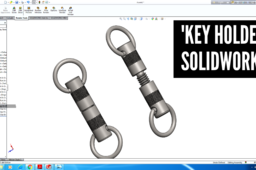
SolidWorks Tutorial: Model a Key Holder or a Key Ring with Thread and Knurling
Tech Hawk
in
Modeling
7
0
Beginner
In this Video Tutorial, Tech Hawk is going to show you how to model a Key Holder or Key Ring in SolidWorks for practice. By this tutorial you will also learn to create Knurling in surface. You will also know about how to create thread in SolidWorks. . 02:50 How to create threaded cut 06:55 How to create Knurling Machining . We hope this video can help you to practice with SolidWorks software ans make you introduced with some of the commands and features of SolidWorks. We all know that, SolidWorks is a solid modeling computer-aided design and computer-aided engineering computer program. The software is then used for design and building of mechanical, electrical, and software elements. This is getting more and more important nowadays.
SOLIDWORKS
holder
ring
key
modeling
hawk
tech
tools
solidworks
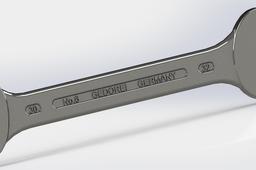
Гаечный ключ рожковый двусторонний
George Baranov
in
Modeling
5
0
Beginner
проектирование Гаечный ключ рожковый двусторонний https://www.youtube.com/watch?v=32l01-zh6Eo&t=388s&ab_channel=GeorgeBaranov
SOLIDWORKS
key
wrench
spanner
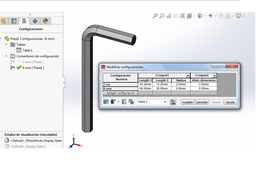
Solidworks tutorial - Allen wrench with configuration set (Llave allen con juego configurable)
Juan Romero Correa
in
Modeling
3
0
Beginner
This solidworks tutorial is about how to made an allen wrench easily and how to configure them with another dimension to build an allen wrench set. Este tutorial de solidworks trata de como hacer fácilmente una llave allen y como configurarla de manera de construir un juego de llaves allen.
SOLIDWORKS
set
key
wrench
allen
Tutorial - Modeling Allen key in SolidWorks?
Sudhir Gill
in
Design & CAD
2
1
Beginner
Here is the tutorial.
SOLIDWORKS
key
tutorial
allen
AutoCAD - Complete Tutorial for Beginners - Exercises 48
MRCAD
in
Drafting
1
0
Expert
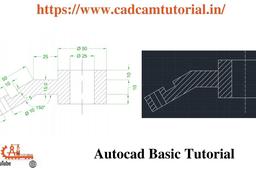
Telegram link - https://t.me/joinchat/jbCTJ5gDeCo3NWE1 Blog: https://www.cadcamtutorial.in/ FUNCTION KEY:- Ø ESC : To cancel Command Ø F1 : Autocad Help Ø F2 : Text Window on/off To see recently used command, options, Points. Ø F3 : Osnap button on/off. Ø F4 : Tablet on/off (Autocad 2010 & Prior Versions) 3DOSNAP ON/OFF (Autocad 2011 & Autocad 2012) Ø F5 : To change isoplane in isometric drawing. Ø F6 : DUCS (Dynamic user co-ordinate system) button on/off. Ø F7 : Grid button on/off. By default grid spacing is 0.5 inch in X- direction and Y - direction. Ø F8 : Ortho button on/off. Ø F9 : Snap button on/off If snap button is on mode from status bar than cursor will be Jump on the graphic one dot to another dot. Ø F10 : Polar button on/off. (Alternate off ortho button) Ø F11 : Otrack button on/off. (object snap tracking) Ø F12 : DY
AutoCAD
cadcamtutorial
key
function
drafting
48
exercises
beginners
tutorial
complete
autocad
Drill Chuck Key
Karan Talsaniya
in
Modeling
1
0
Beginner
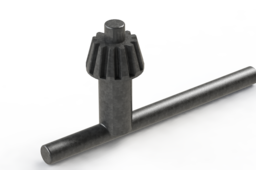
In This Tutorial we make Drill Chuck Key in Solideworks
SOLIDWORKS
drill
solideworks
key
chuck
FLANGE COUPLING ASSEMBLY IN SOLIDWORKS/HOW TO MAKE A FLANGE COUPLING ASSEMBLY IN SOLIDWORKS
Pawan Kumar
in
Assemblies
1
0
Beginner
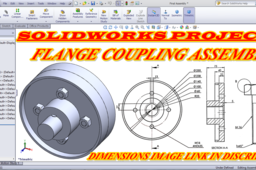
FLANGE COUPLING ASSEMBLY IN SOLIDWORKS/HOW TO MAKE A FLANGE COUPLING ASSEMBLY IN SOLIDWORKS Hello friends my name is Pawan Kumar and welcome to SOLIDWORKS PROJECTS channel. In this channel you learn about solidwork software. DIMENSIONS PDF LINK : https://drive.google.com/file/d/1AVRWfoe80cBuTYxOOJ70E_WDiHMwM6By/view?usp=sharing please subscribe my channel and follow us on social media Facebook : https://www.facebook.com/SOLIDWORKSPRO216/ Twitter : https://twitter.com/SOLIDWORKSPROJ1?s=09 #FLANGECOUPLING #ASSEMBLY #MALE_FLANGE #FEMALE_FLANGE #KEY #SHAFT #NUT #BOLT
SOLIDWORKS
bolt
nut
shaft
key
female
male
assembly
coupling
flange
SolidWorks | 2-2 Mouse Gestures and the S Key |
Mahmud Hasan Maraj
in
Modeling
1
0
Beginner
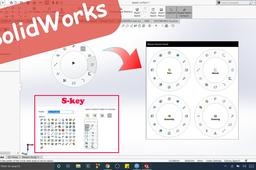
Those commands you use often, are linked to mouse gestures and S key. So that you can do your work faster. SolidWorks Tutorial. https://youtu.be/LFO-w6MxWk0
SOLIDWORKS
key
gestures
mouse
solidworks
AutoCAD - Complete Tutorial for Beginners - Exercises 50
MRCAD
in
Drafting
0
0
Expert
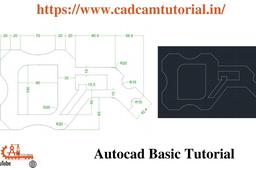
Telegram link - https://t.me/joinchat/jbCTJ5gDeCo3NWE1 Blog: https://www.cadcamtutorial.in/ FUNCTION KEY:- Ø ESC : To cancel Command Ø F1 : Autocad Help Ø F2 : Text Window on/off To see recently used command, options, Points. Ø F3 : Osnap button on/off. Ø F4 : Tablet on/off (Autocad 2010 & Prior Versions) 3DOSNAP ON/OFF (Autocad 2011 & Autocad 2012) Ø F5 : To change isoplane in isometric drawing. Ø F6 : DUCS (Dynamic user co-ordinate system) button on/off. Ø F7 : Grid button on/off. By default grid spacing is 0.5 inch in X- direction and Y - direction. Ø F8 : Ortho button on/off. Ø F9 : Snap button on/off If snap button is on mode from status bar than cursor will be Jump on the graphic one dot to another dot. Ø F10 : Polar button on/off. (Alternate off ortho button) Ø F11 : Otrack button on/off. (object snap tracking) Ø F12 :
AutoCAD
command
help
key
function
cadcamtutorial
beginners
tutorial
complete
autocad
Tutorial for designing a Hex Key- CATIA Basics
Anuj Kaushal
in
Modeling
0
0
Beginner
Designing of hex key model using rib command. 3D Model - https://grabcad.com/library/hex-key-allen-wrench-analysis-1 Youtube - YouTube - https://www.youtube.com/channel/UCzFRwBLs5z_HmyOp_jiPKNg
CATIA
part
design
3d
key
hex
command
rib
tutorial
catia
SolidWorks 2014, How to create a Key Ring, 3D Printing ready! HD
Fahad Butt
in
Design & CAD
0
0
Intermediate
SolidWorks 2014, Tutorial to create a Key Ring, 3D Printing ready! HD This was made to utilize maximum commands/features, so that you all become familiar with them, it can be created in one sweep and one fillet as well.
SOLIDWORKS
solidworks
ring
3d
printing
key
create
hd
ready
2014
howto
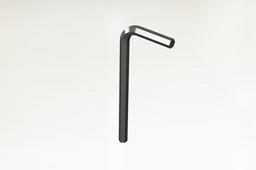
Allen Key Tutorial in Solidworks
Ibrahim Omer
in
Modeling
0
0
Beginner
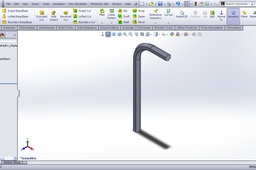
This is a very basic tutorial of how to make Allen Key in Solidworks. All dimensions are in inches. Commands/features used in this tutorial: sweep boss, reference plane, appearances.
SOLIDWORKS
rendering
model
cad
engineer
design
engineering
mechanical
solidworks
tools
key
allen
PSA - using simple keyboard bindings you can improve your work speed :)
Tanel Välja
in
Design & CAD
0
0
Beginner
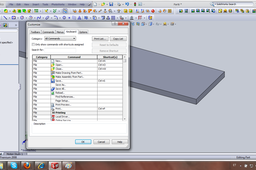
Here they are, also corresponding pictures below :) Sketching: Smart dimension: CTRL+SHIFT+D Line: L Centerline: SHIFT+L Circle: CTRL+SHIFT+C Center reqtangle: CTRL+SHIFT+R Extruding: Fillet: CTRL+F Extrude: CTRL+E Thicken: CTRL+T Revolve: CTRL+R Loft:CTRL+L Sweep: CTRL+P(ctrl+s was already taken) Extruded Cut: CTRL+Y
SOLIDWORKS
key
work
improve
keybind
bindings