Learn about the GrabCAD Platform
Get to know GrabCAD as an open software platform for Additive Manufacturing
Visit our new homepage
Home
Control
Shop
Streamline Pro
Partner Program
Print
Community
Log in
Library
Challenges
Groups
Questions
Tutorials
Engineers
Blog
Log in
Learn from thousands of free Tutorials.
New user?
Join the community
or
log in.
Tutorials
Most liked all time
Recent
Most liked
Most viewed
Most commented
This week
This month
All time
Category
Design & CAD
Modeling
Drafting
Assemblies
BOM
Dimensioning / Tolerancing
Translations
Manufacturing & CAM
3D Printing
Tooling
NC Machining
Composites
Measurement / Inspection
Simulation & CAE
FEM
CFD
Kinematics
Process Simulation
Engineering Fundamentals
Theory
Process
Standards
Other
Software
Snagit
Alibre Design
ArchiCAD
AutoCAD
AutoCAD Electrical
Autodesk 3ds Max
Autodesk Alias
Autodesk Inventor
Autodesk Maya
Autodesk Revit
Autodesk 123D
BricsCAD
Bentley MicroStation
BlenderCAD
BobCAD-CAM
CATIA
Delmia
DraftSight
FreeCAD
Femap
Fusion 360
Geomagic Design
IronCAD
JT
Kompas-3D
KeyCreator
KeyShot
Lagoa
Luxology
Mastercam
Moi3D
NX Unigraphics
OBJ
Onshape
OpenSCAD
Parasolid
Powermill
Powershape
Pro/Engineer Wildfire
PTC Creo Parametric
PTC Creo Elements
Rhino
SpaceClaim
SOLIDWORKS
solidThinking Evolve
Solid Edge
SolidFace
STEP / IGES
SketchUp
STL
TopSolid
TinkerCAD
T-Flex CAD
TurboCAD
VectorWorks
ViaCAD 3D
VRML / WRL
ZW3D
Rendering
GrabCAD Print
GrabCAD Community
GrabCAD Workbench
Text file
3D Manufacturing Format
Cinema 4D
Other
Skill level
All levels
Beginner
Intermediate
Expert
material
×
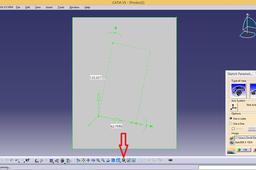
Error sketch tracer
özgür kesebir
in
Design & CAD
12
4
Intermediate
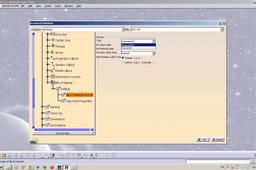
Change view mode to shading with material.
CATIA
wrong
mode
change
paintings
view
see
material
it
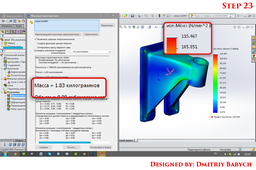
Tutorial: How to optimize design using SW Simulation?
Dmitriy Babych
in
Design & CAD
10
3
Intermediate
optimize design
SOLIDWORKS
ansys
work
simulation
2d
render
grabcad
design
drawing
3d
flow
material
mechanical
motion
solidworks
steel
How to create a linked BOM and balloons in a CATIA drawing
Pablo Sánchez
in
BOM
9
0
Intermediate
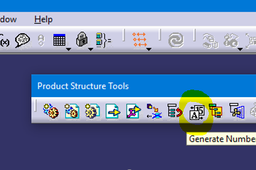
We can do an assembly drawing with a Bill of Material explaining to the manufacturer important info about each part. Also, we can number the parts with balloons, so that it can be easy to find and identify them. It will be explained all the necessary steps in Assembly Design and Drafting module.
CATIA
design
assembly
catia
material
bill
bom
balloon
drafting
3D Printing with PolyJet VeroUltraClear Material
Alexa Nahum
in
3D Printing
8
0
Beginner
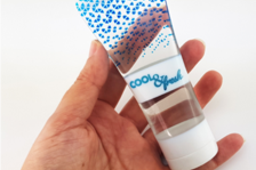
VeroUltraClear is a clear, rigid, 3D printing material with a glass-like appearance. Learn how to get the best results for your prototyping needs.
sanding
lacquer
polish
photobleaching
material
polyjet
veroclear
veroultraclear
POLYJET SUPPORT MATERIALS PART 1: INTRO TO POLYJET SUPPORT MATERIAL
Alexa Nahum
in
3D Printing
7
0
Beginner
An introduction the PolyJet's support materials SUP705 SUP710, SUP706B, and SUP707. We discuss unique characteristics and support strength recommendations for each.
grabcad
sup706b
sup707
sup706
sup705
polyjet
material
support
How can we add numbers to sub-assemblies in CATIA to see them in balloons and bom list automatically in drawing?
özgür kesebir
in
Design & CAD
5
0
Intermediate
Here is the tutorial and files. Have fun...
CATIA
material
bom
bill
engmanager
Where To Get Texture Material | Make Own Custom Material Fusion 360 | 2021 |
vikram ahuja
in
Modeling
5
1
Beginner
Hi Guys, In this video, I am going to tell you that how can you Learn Where To Get Texture Material | Make Own Custom Material Fusion 360 | 2021 | I have taught you how to Where To Get Texture Material | Make Own Custom Material Fusion 360 | 2021 | which will make you understand in simple way. If you want to learn Fusion 360 software and If you want more tutorials, Then you can also subscribe my Youtube Channel, Whose link I have given you below. My Youtube Channel Name is: Ahuja Technical Hant https://youtu.be/E7LpU4vcgq8
Fusion 360
360
fusion
learn
3d
tutorial
material
texture
get
modeling
cad
fusion360
POLYJET SUPPORT MATERIALS PART 2: SUP705 & SUP706B
Alexa Nahum
in
3D Printing
4
0
Beginner
Learn the best 3D printing workflow for PolyJet support material SUP705 and SUP706B, including pre-printing design tips for easier support removal to post processing tips.
settings
print
grabcad
sup706b
sup705
material
support
polyjet
#6 Static Loading of Ductile Material | ANSYS | ABIS CADDworks ABIS CADDworks
Ismail A Mohammed
in
FEM
3
0
Intermediate
Static Loading of Ductile Material
material
ductile
loading
static
Using knowledge advisor and power copies in CATIA v5
ferdo
in
Modeling
3
1
Expert
An example of how CATIA power tools can be used. You can create new geometry with a specific profile from power copies and set a length using knowledge advisor, then add material and other parameters with the help of automation. And everything is linked to a skeleton part.
CATIA
material
powercopies
knowledge
modeling
catia
The New Vivid Materials: Why Should I Use Them?
Alexa Nahum
in
3D Printing
3
1
Beginner
Stratasys® recently rolled out some new vivid materials for the J750™/J735™ and Connex3 printers. This tutorial will explain what new capabilities these vivids offer and some different ideas for applications. We will be posting a second tutorial that will walk through how to print with the materials.
polyjet
material
vivid
stratasys
transparent
connex3
j735
j750
Add and Customize Materials in SolidWorks | SOLIDWORKS Tutorial 2023
3D Polygon
in
Modeling
3
2
Intermediate
Learn how to create and customize new materials in SolidWorks in this comprehensive tutorial. I'll cover everything from creating a new material, to customizing its properties and applying it to your models. This tutorial is perfect for anyone who wants to take their SolidWorks skills to the next level and create more realistic and accurate models. Whether you're a beginner or an advanced user, you'll find valuable information in this tutorial.
SOLIDWORKS
tutorial
alloy
material
solidworks
How can we add numbers to sub-assemblies in CATIA to see them in balloons and bom list automatically in drawing?
Neil Meredith
in
Design & CAD
3
0
Intermediate
This is somewhat related, but I'm not using numbers for the BOM. Instead I'm trying to use balloons to label the top level assemblies AND parts directly. The auto balloon and balloon tool will only pick-up the part names, not the sub-assembly name so I have to annotate these with leaders instead of balloons. Any ideas? Here is what I'm trying to accomplish:
CATIA
material
bom
bill
engmanager
3ds max interior design tutorial - How to use vray materials in slate material editor (part 2)
TeachLAB27
in
Modeling
2
0
Intermediate
Lesson 6 Content : - Vray material setting in slate material editor
Autodesk 3ds Max
3ds
tutorials
design
interior
tutorial
material
setting
vray
(VIDEO) Como criar um material personalizado no SolidWorks e calcular o peso no SolidWorks - obter a massa
Tiago MecG
in
Dimensioning / Tolerancing
2
0
Beginner
VÍDEO ENSINANDO ESTÁ ABAIXO: ================= ================= NÃO CLIQUE AQUI: http://bit.ly/projetos_infinity ================= ================= Clique no link abaixo para saber como funciona o curso do SolidWorks com certificado via WhatsApp que irei dar para você: https://www.youtube.com/watch?v=gskjtDlouYE baixe meus projetos do grabcad grátis https://enrt.eu/download_grabcad_projects
SOLIDWORKS
propriedades
massa
personalizado
atributos
solidworks
peso
material
1
2
3