Learn about the GrabCAD Platform
Get to know GrabCAD as an open software platform for Additive Manufacturing
Visit our new homepage
Home
Control
Shop
Streamline Pro
Partner Program
Print
Community
Log in
Library
Challenges
Groups
Questions
Tutorials
Engineers
Blog
Log in
Learn from thousands of free Tutorials.
New user?
Join the community
or
log in.
Tutorials
Most liked all time
Recent
Most liked
Most viewed
Most commented
This week
This month
All time
Category
Design & CAD
Modeling
Drafting
Assemblies
BOM
Dimensioning / Tolerancing
Translations
Manufacturing & CAM
3D Printing
Tooling
NC Machining
Composites
Measurement / Inspection
Simulation & CAE
FEM
CFD
Kinematics
Process Simulation
Engineering Fundamentals
Theory
Process
Standards
Other
Software
Snagit
Alibre Design
ArchiCAD
AutoCAD
AutoCAD Electrical
Autodesk 3ds Max
Autodesk Alias
Autodesk Inventor
Autodesk Maya
Autodesk Revit
Autodesk 123D
BricsCAD
Bentley MicroStation
BlenderCAD
BobCAD-CAM
CATIA
Delmia
DraftSight
FreeCAD
Femap
Fusion 360
Geomagic Design
IronCAD
JT
Kompas-3D
KeyCreator
KeyShot
Lagoa
Luxology
Mastercam
Moi3D
NX Unigraphics
OBJ
Onshape
OpenSCAD
Parasolid
Powermill
Powershape
Pro/Engineer Wildfire
PTC Creo Parametric
PTC Creo Elements
Rhino
SpaceClaim
SOLIDWORKS
solidThinking Evolve
Solid Edge
SolidFace
STEP / IGES
SketchUp
STL
TopSolid
TinkerCAD
T-Flex CAD
TurboCAD
VectorWorks
ViaCAD 3D
VRML / WRL
ZW3D
GrabCAD Print
Rendering
GrabCAD Community
GrabCAD Workbench
Text file
3D Manufacturing Format
Cinema 4D
Other
Skill level
All levels
Beginner
Intermediate
Expert
proe
×
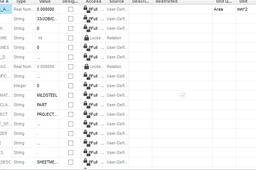
How to Copy-Paste parameters from one part to another in Pro-E?
martin Cronje
in
Design & CAD
1
0
Intermediate
It doesn't the parameters if there is a parameter which has a restriction. I've deselected those parameters and copy and paste the rest into the part. You will have to create the restricted parameters yourself.
Pro/Engineer Wildfire
values
paste
parameters
copy
proe
pro
pro-e
Diseno Mecanico y de Producto - Creo 3.0
Esteban
in
Modeling
1
0
Beginner
Diseno Mecanico y de Producto: Curso basico para iniciar tu entrenamiento en el uso de CREO 3.0, en este curso asumo que no conoces la interface y que deseas aprender lo fundamental del programa. Iniciamos desde las operaciones mas simples hasta un nivel medio.
PTC Creo Parametric
proe
modeling
3d
parametrics
creo
How to optimize time during sketching in Pro-E/Creo ??
Saurabh Kumar
in
Design & CAD
1
0
Beginner
Well I've started with sketching tips in pro-e/creo, which often come handy when I use pro-e/creo elements.Then I'll move on to some feature base tips.So lets not waste time and get started.Its easy and will take minimal time...
Pro/Engineer Wildfire
sketch
creo
proe
tipsntricks
how to adjust the lineweight in proe?
sumithkarun
in
Design & CAD
0
0
Beginner
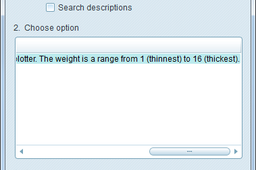
step-1. Go to Tools > Options step-2. In the option text bar type "pen*_line_weight" and hit find step-3. Set the values of the different lines from 1 (thinnest) to 16 (thickest) step-4. Click Add/Change, then Apply
Pro/Engineer Wildfire
printing
proe
ProE Tutorial: How to create parameter for Pattern feature / sampling
Vladimir Palffy
in
Design & CAD
0
0
Intermediate
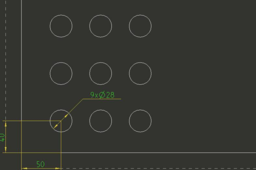
Step for reproduce: How to create parameter for Pattern feature / sampling
Pro/Engineer Wildfire
creo
pattern
proe
sampling
Component Interface in Assembly mode of proEngineer
c0cd00a1
in
Design & CAD
0
0
Beginner
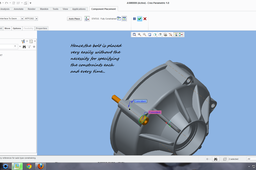
Component Interface is mainly used in order to cut-short the time involved in assembling components which are easy to assemble..for example a bolt and a nut to be assembled to a pulley...they all have same constraints..2 -Axes,Surfaces..So It 'd be boring and sometimes time consuming if we keep on specifying the constraints each and every time in a large assembly..for ex. An Engine..,So in order to make it much faster,We make use of the component interface...
Pro/Engineer Wildfire
assembly
proe
converting 2d image to 3d model in creo parametric software
caden
in
Design & CAD
0
0
Intermediate
in this tutorial we are learn @ converting 2d image to 3d model in creo parametric software. its so simple to do
PTC Creo Parametric
learn
proe
model
3d
image
how
tutorials
creo
(ProE) Add a relation between sketches in different planes
e19
in
Design & CAD
0
0
Beginner
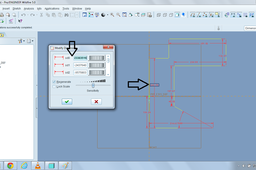
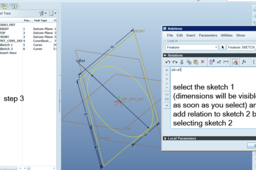
sketch your features in different planes
Pro/Engineer Wildfire
plane
wildfire
sketch
engineer
pro
proe
relation
how to create boundry blend in pro e
rakesh
in
Design & CAD
0
0
Beginner
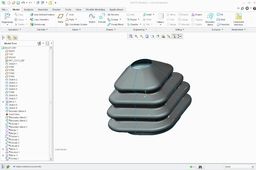
Here is a small tutorial to create Boot using Boundary Blend command !!!!!!!!
Pro/Engineer Wildfire
wildfire
blend
proe
boundry
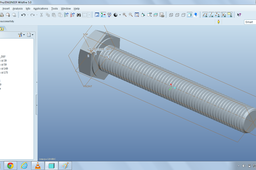
How to use helical sweep cut to make threads in Pro-E\Creo ??
Saurabh Kumar
in
Design & CAD
0
0
Beginner
Ok lets get started... Used a simple bolt....
Pro/Engineer Wildfire
helical
creo
elements
sweep
threads
proe
learning