Learn about the GrabCAD Platform
Get to know GrabCAD as an open software platform for Additive Manufacturing
Visit our new homepage
Home
Control
Shop
Streamline Pro
Partner Program
Print
Community
Log in
Library
Challenges
Groups
Questions
Tutorials
Engineers
Blog
Log in
Learn from thousands of free Tutorials.
New user?
Join the community
or
log in.
Tutorials
Most liked all time
Recent
Most liked
Most viewed
Most commented
This week
This month
All time
Category
Design & CAD
Modeling
Drafting
Assemblies
BOM
Dimensioning / Tolerancing
Translations
Manufacturing & CAM
3D Printing
Tooling
NC Machining
Composites
Measurement / Inspection
Simulation & CAE
FEM
CFD
Kinematics
Process Simulation
Engineering Fundamentals
Theory
Process
Standards
Other
Software
Snagit
Alibre Design
ArchiCAD
AutoCAD
AutoCAD Electrical
Autodesk 3ds Max
Autodesk Alias
Autodesk Inventor
Autodesk Maya
Autodesk Revit
Autodesk 123D
BricsCAD
Bentley MicroStation
BlenderCAD
BobCAD-CAM
CATIA
Delmia
DraftSight
FreeCAD
Femap
Fusion 360
Geomagic Design
IronCAD
JT
Kompas-3D
KeyCreator
KeyShot
Lagoa
Luxology
Mastercam
Moi3D
NX Unigraphics
OBJ
Onshape
OpenSCAD
Parasolid
Powermill
Powershape
Pro/Engineer Wildfire
PTC Creo Parametric
PTC Creo Elements
Rhino
SpaceClaim
SOLIDWORKS
solidThinking Evolve
Solid Edge
SolidFace
STEP / IGES
SketchUp
STL
TopSolid
TinkerCAD
T-Flex CAD
TurboCAD
VectorWorks
ViaCAD 3D
VRML / WRL
ZW3D
GrabCAD Print
Rendering
GrabCAD Community
GrabCAD Workbench
Text file
3D Manufacturing Format
Cinema 4D
Other
Skill level
All levels
Beginner
Intermediate
Expert
transition
×
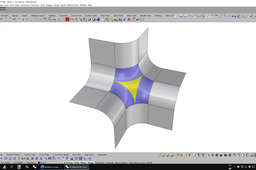
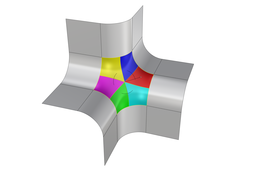
Filling basic 6-sided holes in Rhino
Bobi
in
Modeling
8
1
Beginner
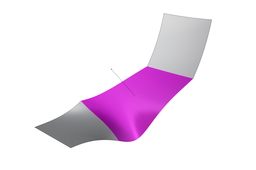
This tutorial shows how to fill a 6-sided hole surrounded by simple planar surface transitions in Rhino.
Rhino
rhino
blend
hole
6-sided
surface
surfacing
nurbs
transition
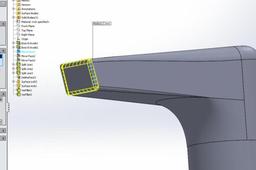
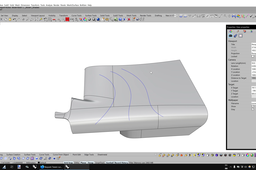
Approach to model this tap in SolidWorks 2012
Kent
in
Design & CAD
3
0
Intermediate
oops, wrong render, See attached solidworks file which matchs the rendering for technique
SOLIDWORKS
modeling
transition
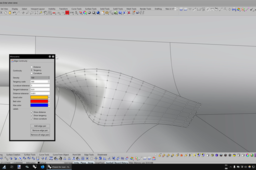
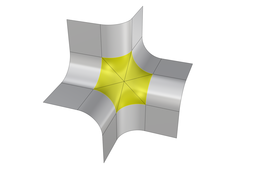
Filling 6-sided holes in Rhino
Bobi
in
Modeling
3
0
Intermediate
This tutorial shows how to fill a 6-sided hole surrounded by complex surface transitions in Rhino.
Rhino
transition
nurbs
surfacing
surface
6-sided
hole
blend
rhino
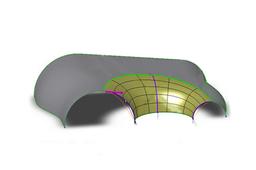
Helping Uma...
Edgar Gidoni
in
Modeling
2
0
Intermediate
This was something we did to explain to a friend how a designer had made a kind of transitional cover from one mouth to two. We made these images to help her understand. I think it will also be useful for many people.
SOLIDWORKS
tecnicursos
swtutorial
swhowto
manifold
cover
transition
umahelp
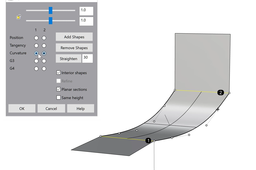
Blend surface - Advanced Planar sections (tutorial 1)
Bobi
in
Modeling
1
0
Beginner
Blend surface with advanced "Planar sections" option
Rhino
section
planar
transition
nurbs
surfacing
surface
blend
rhino
Blend surface - Advanced Planar sections (tutorial 2)
Bobi
in
Modeling
1
0
Beginner
Blend surface with advanced "Planar sections" option
Rhino
rhino
blend
surface
surfacing
nurbs
transition
planar
section
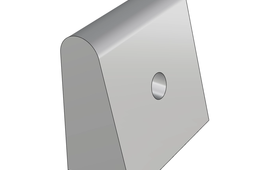
Loft to simulate a full round fillet between 3 surfaces
Bobi
in
Modeling
1
0
Beginner
In cases where 3 surfaces meet together and the goal is to create a full round fillet in-between, the top surface could be used to extract an isocurve that’s then used as a middle profile for a “Loft surface”. The two main vertical surfaces are shortened by the amount of approximate radius (in this example, the radius is 5 mm, because the two main surfaces are 10 mm far from each other) and set to tangent start and end for the loft operation. That would maintain the desired top limit for the rounded surface, though it will not produce a true radius fillet.
Rhino
rhino
radius
surface
surfacing
nurbs
transition
round
fillet
Editable tween curve on surface or polysurface
Bobi
in
Modeling
1
0
Beginner
History in Rhino 7 must be turned on, in order for the modifications on the input surfaces to affect the output tween surface and its corresponding curve intersection. The latter could be further simplified via the "! _RemoveMultiKnot" command, though that will destroy the history and also may cause the curve to no longer sit perfectly accurate on the surface/polysurface.
Rhino
curve
edit
transition
nurbs
surfacing
surface
tween
rhino
Filling basic 6-sided holes in Rhino (ver. 2)
Bobi
in
Modeling
1
0
Intermediate
This tutorial shows how to fill a 6-sided hole surrounded by simple planar surface transitions in Rhino.
Rhino
transition
nurbs
surfacing
surface
6-sided
hole
blend
rhino
Filling basic 6-sided holes in Rhino (ver. 3)
Bobi
in
Modeling
1
0
Beginner
This tutorial shows how to fill a 6-sided hole surrounded by simple planar surface transitions in Rhino.
Rhino
rhino
blend
hole
6-sided
surface
surfacing
nurbs
transition
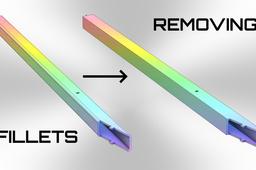
Converting a metal tube with 3 mm fillets to an aluminum extrusion
Bobi
in
Modeling
1
0
Beginner
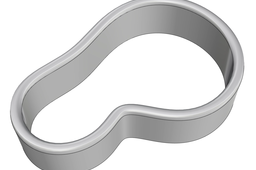
Converting a metal tube with 3 mm fillets to an aluminum extrusion
Rhino
tube
corner
blend
surface
smooth
fillet
transition
design
Full round fillet between 3 surfaces
Bobi
in
Modeling
0
0
Beginner
This tutorial shows how to use a tangent circle to 3 surfaces to build a full round fillet in-between.
Rhino
rhino
radius
surface
surfacing
nurbs
transition
round
fillet
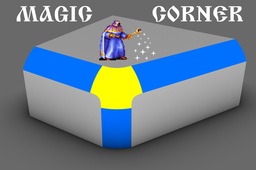
Magic corner in Rhino 7
Bobi
in
Modeling
0
0
Intermediate
Magic corner in Rhino 7
Rhino
pipe
design
transition
fillet
smooth
surface
blend
corner